
Rivian
Designing a manufacturing MVP from scratch
Data is critical with line stops costing thousands per second
Services
2 Week Onsite Discovery
interface Design
Process Design
Team Building
Stakeholder interviews & Workshops
OnsiTe Moderated Testing
Industry
Automotive Manufacturing
Timeline
2025
Client
Rivian Manufacturing
MY ROLE
Lead UX Designer
Rivian hired me as the Lead UX Designer on a team with 16 engineers, Tech lead and architects to design from scratch a new manufacturing application for them — it would mean replacing siloed, manual production processes for enrichment, approvals, and order validation, ultimately bringing those workflows into one application accessible to every role.
Being the sole UX designer with a 16-developer team (20 including architects proved to be the biggest challenge on the project.
The stakes defined the design: on a production line where a stop can cost thousands per second. This would be a tool people depend on under pressure where every decision was measured against keeping the line moving accurately as well as responding to issues immediately.
Unify & Modernize
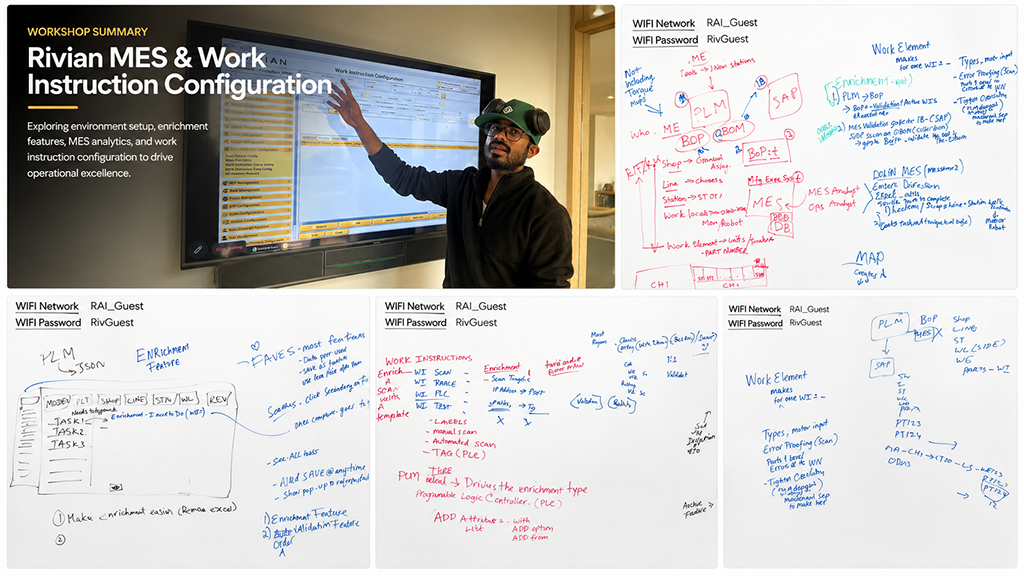
The challenge was to bring the manual siloed process together smoothly. Thoroughly detailing the tasks, potential errors, and getting in front of all line responsibilities from start through completion of each Rivian vehicle. It was critical to first understand what each department was doing when and why. I met with each of the department Manufacturing Managers to understand the complexity over the course of 8-10 hour white board session where they mapped it out with extreme patience. My brain seemed to explode but finally tasks and processes became clear and what was so complex became a beginning to moving the manual siloed applications forward as a unified more efficient and safe application. It would make each person's job easier and much more efficient and increase the security and level of attention to each detail digitally in real-time in order to avoid line stoppage or frustrations of the users on the line and managers who would utilize the application.
- Replace manual, siloed processes with one co-functioning application
- Zero-training tolerance — users are on the floor or Managers leading the department
- Extreme error cost: design had to prevent stops, not just support tasks
- A fast-moving project where development began coding features before designs existed — part of my job was designing the product while initiating a process and keading a team of new engineers
- Requirements that didn't exist in writing were extracted and written as the design and discovery progressed
DISCOVERY
Product & User Discovery

I arrived to the Rivian site with my team of engineers and architects and began my in-depth discussions with each of the department Product Owners. Rivian had beautiful private meeting areas and an absolutely lovely building to work in. Full days immersed in each of the Product Owner worlds filling the whiteboards with what looked like algebraic Chinese to me! They were incredibly patient with me as I struggled to understand - really understand each of their processes with each of the manual details they each begrudgingly had applied each and every day managing the line in their repesective departments with excel spread sheets, phone calls and emails.
Screen Shot Discovery
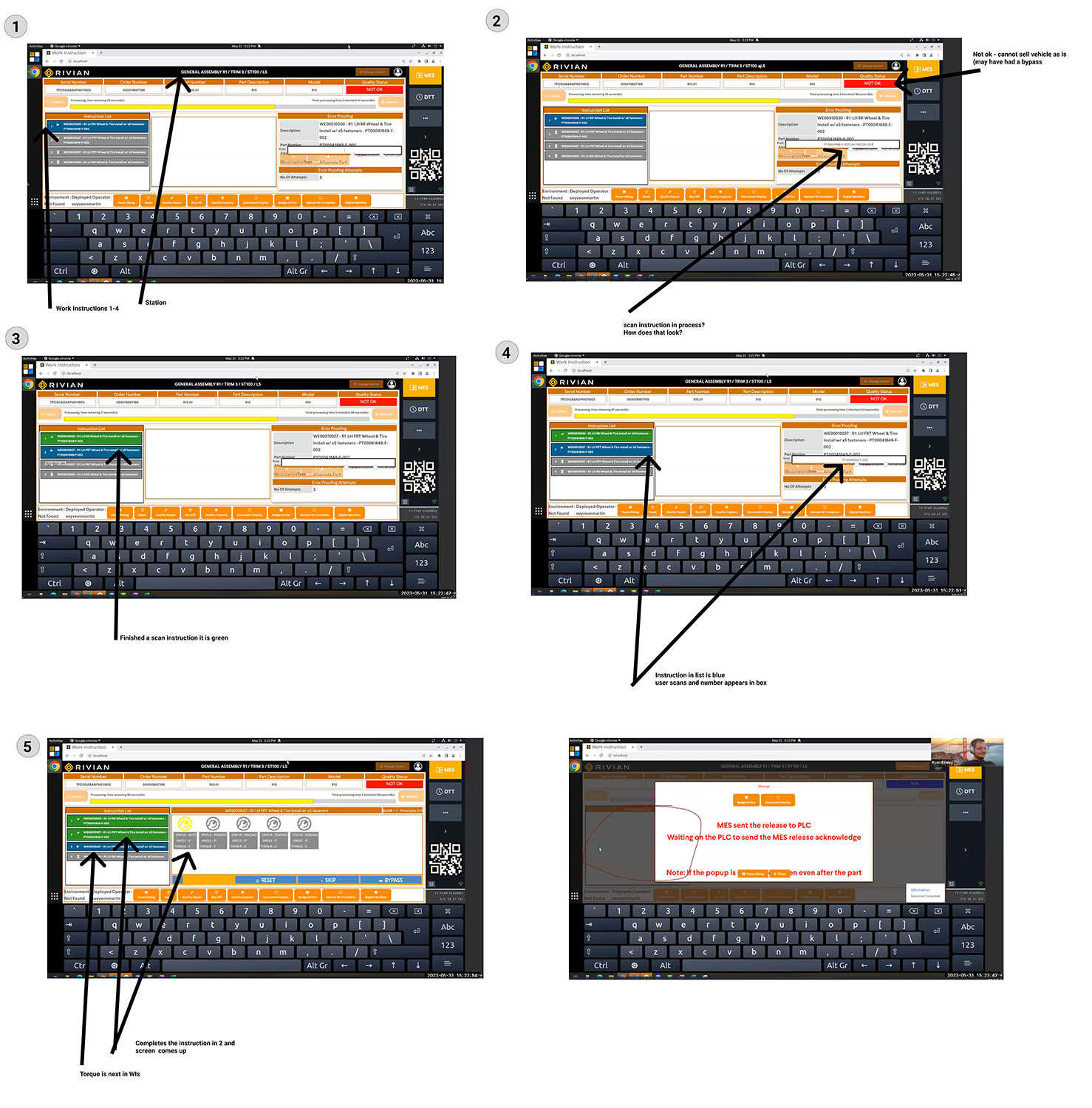
Due to the beta positioning of the mvp application our team was not allowed on the production floor without a tour. I requested that screen shots of each detail users would see omn their screens now and how they and the Managers would interact with them be provided.
Multi Complexity
Screen shots revealed required overwhelming information
Error mitigation required pre and post validation
Users needed options with sub options spannng varied tasks and roles
DISCOVERY
Detailed Workshops & Analysis
Beginning workflows to gauge understanding
Working through flows & Multiple Iterations
Two weeks of onsite discovery at the plant, starting with interviews to begin understanding the complexity of the manufacturing process — and, in the first week, focused whiteboard intensives with the Rivian SMEs from each of the departments involved in the maufacturing process. I recorded every session and replayed them line-by-line to extract requirements that had never been written down. Participants were involved as the user authors to map out what would be necessary for each of the siloed flows and how they needed to merge successfully. My early flows deliberately exposed gaps that sent SMEs back to other teams with questions no one had asked yet.
This whole process of redoing their work flows made everyone excited at a successful endeavor but also very nervous due to complexity that needed to be captured and millions on the line. Because of this I was unable to gather approval to direct access testing of the end users until the onsite testing in the first round mvp. That constraint shaped the engagement but it also provided an important lesson setting an openness to testing in Phase 2 of the project as POs and MEs began to see the gaps we could not uncover until testing uncovered them.
Co-Functional Flow
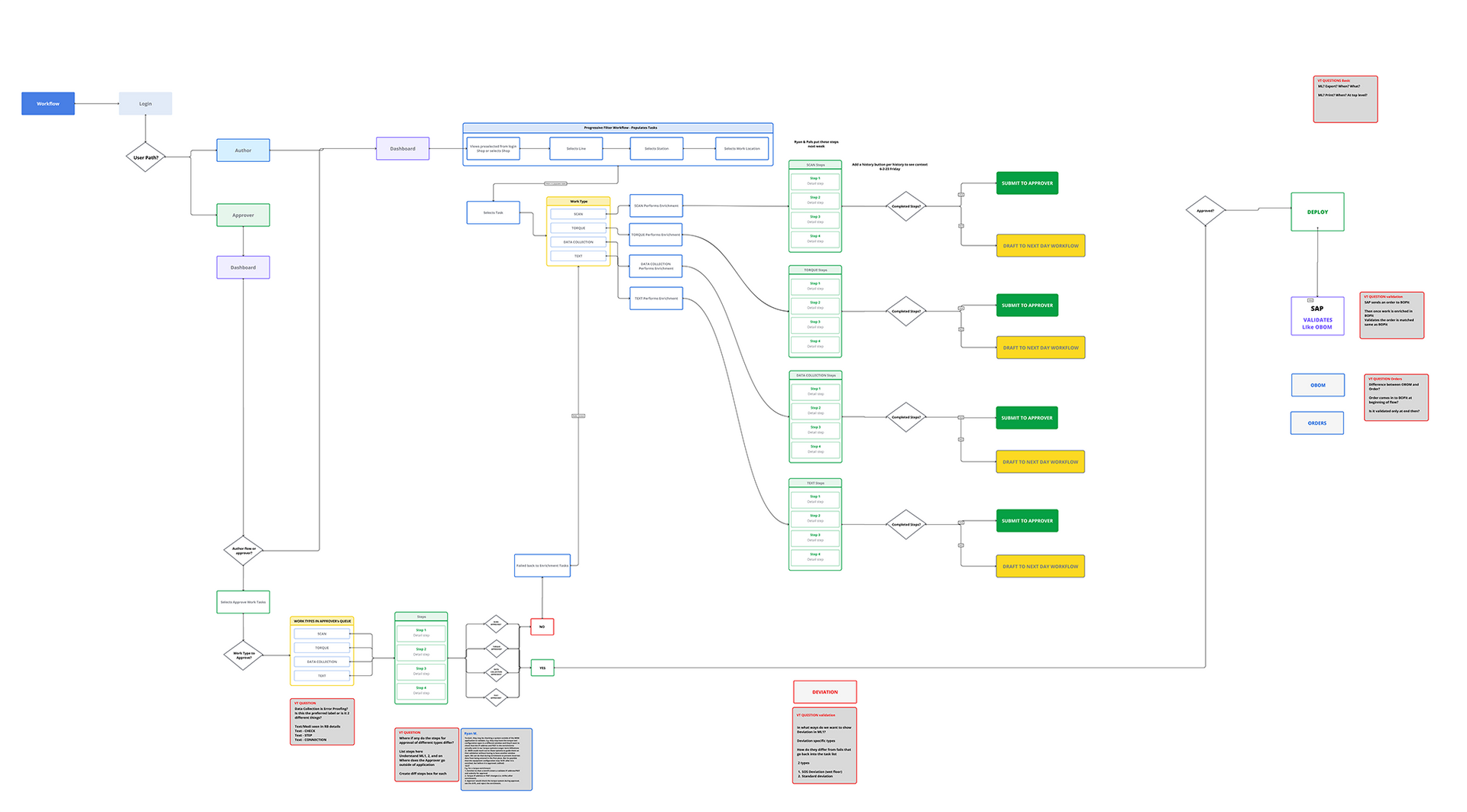
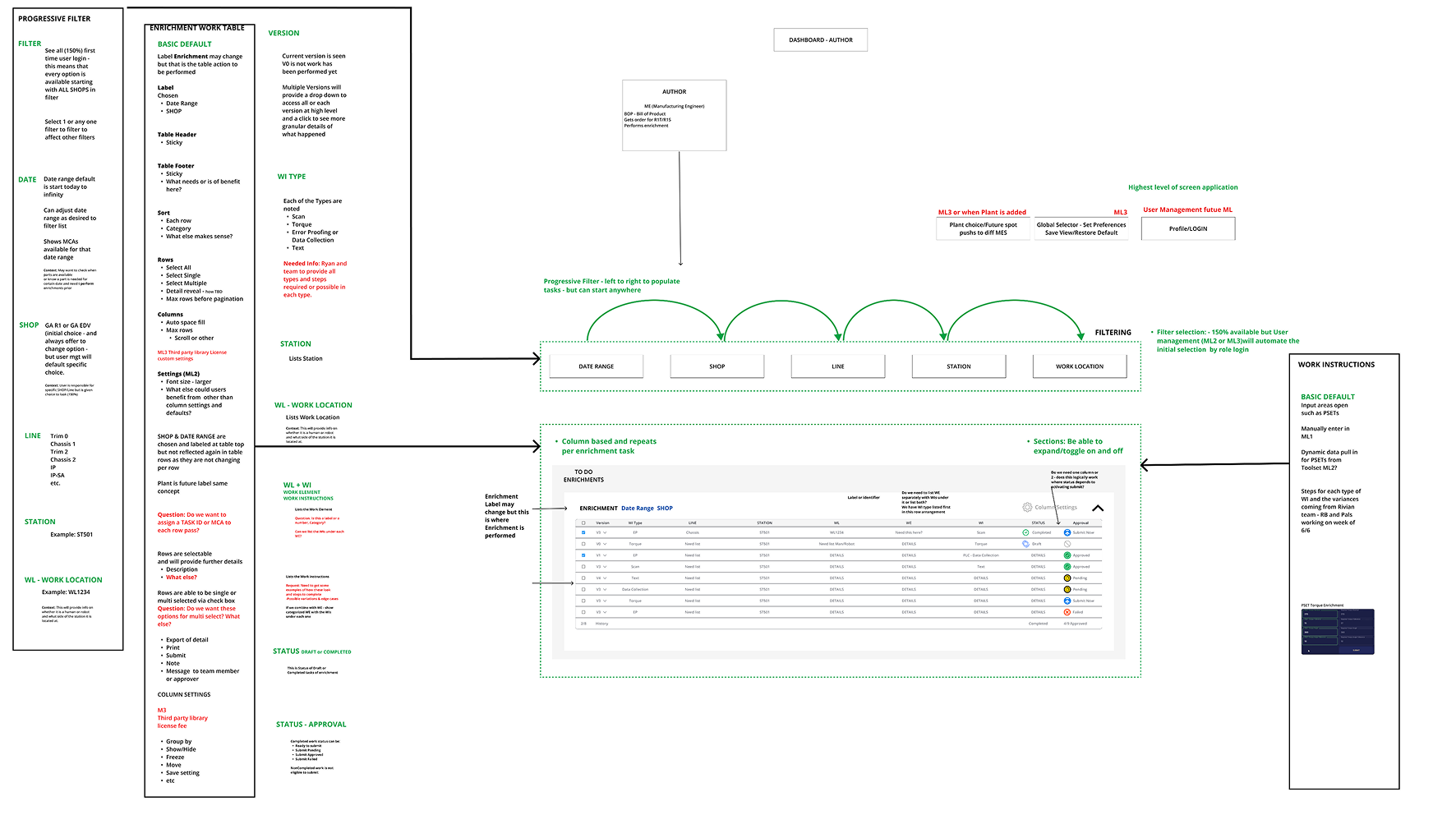
The centerpiece artifact: I iterated a full cross-functional process flow until stakeholders, SMEs, PMs, and the team agreed every valuable interaction and requirement was captured. That flow became the shared contract for the build — scope questions were settled by pointing at it.


Multi Department Workflow
A view of the first flow I provided following discovery. This view was the highest level of process and each marked sub layers of complex tasks and details that would need to be considered to design a working application that smoothly and securely placed all the parts in real-time.
First Functional Designs
Once I clarity and validation that flow was correct I loved on to initial designs to test how users would respond as well as to check engineering cost and budget.
Floor Line Screens Closeup
Each screen closeup was marked to understand their placement and reasoning in the application.
Canvas View of Multiple Screens
Each screen required an in depth review with the ME from that department. I needed to understand every task, where it came from, where it was going and all potential errors and the quickest solution and prevention measures.
Tackling the Most Complex Processes First
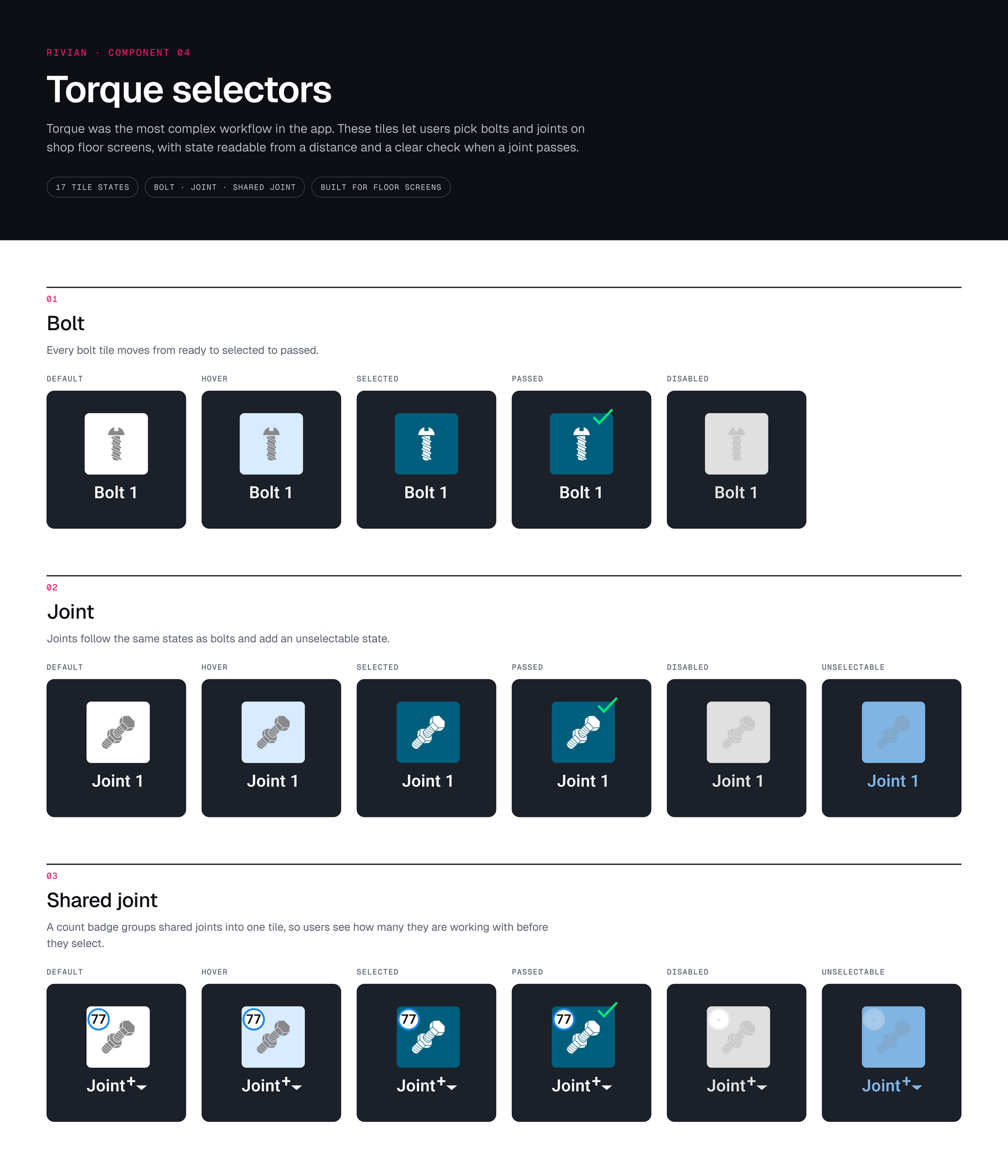
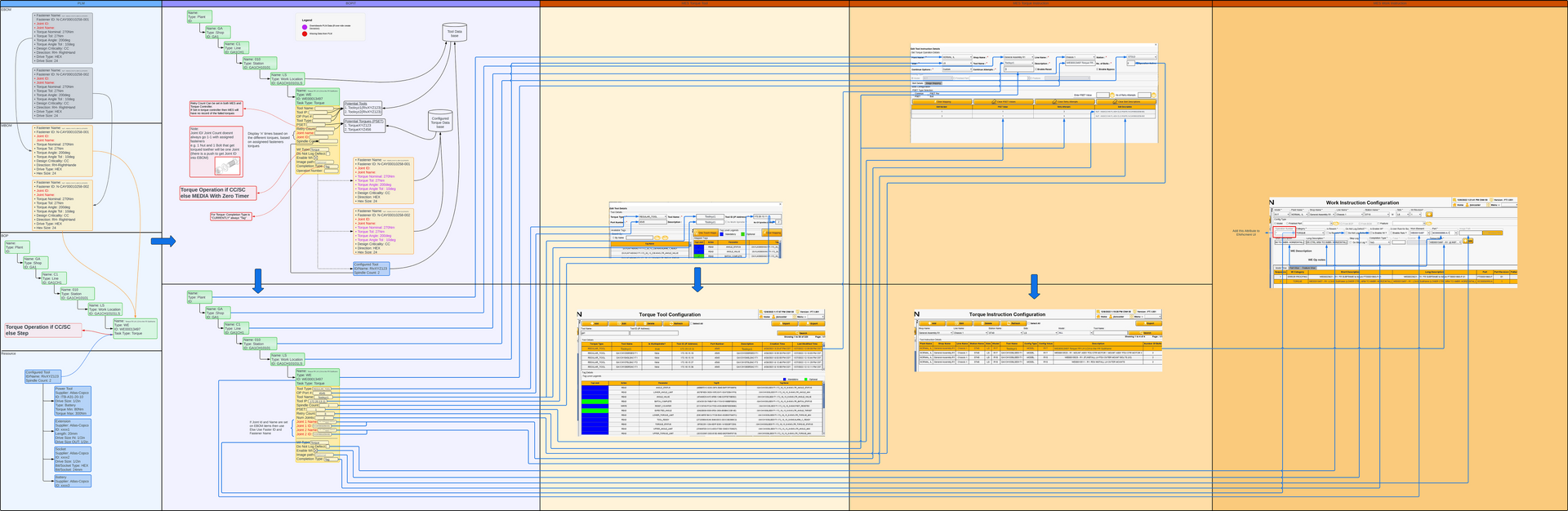
Torquing a screw turned out to be such a complex process that I needed to make a pivot to pause design until we could understand the process in order to lay hold of a design that would work correctly. Clicking on the image will reveasl a closer view of the process that it took days to unravel.
Four Roles with Competing Needs
After discovery I created 4 personas to utilize across the project. Understanding the users and their unique needs would make the application a usable success!
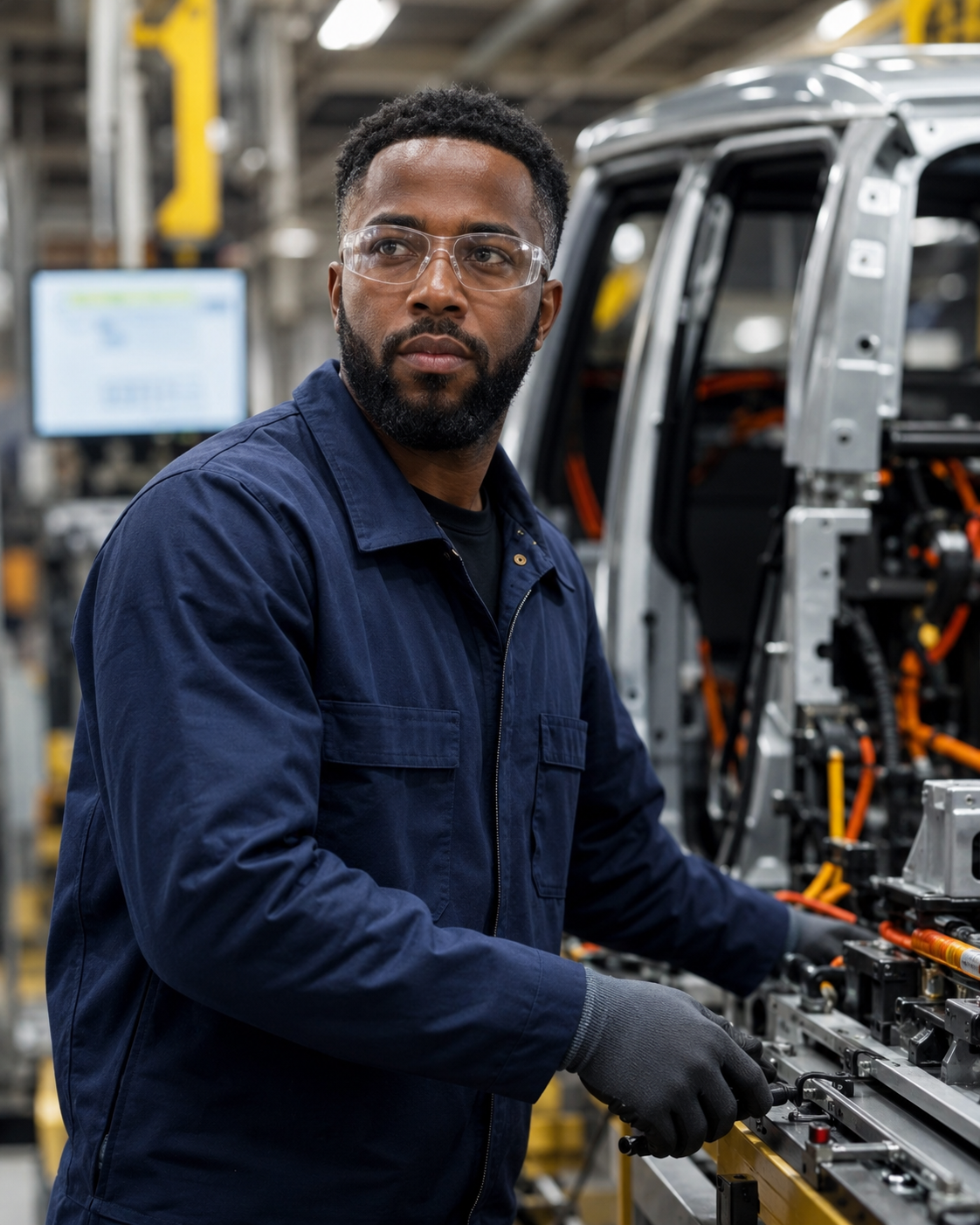
Manufacturing Engineer
Translates Vehicle design into repeating manufacturing methods and digital work instructions for the assembly line.
Cares & Pain Points
Cares About
• Accurate Work Instructions
• Standardized Processes
• Reducing Work
• Fast Issue Resolution
Pain Points: Efficient Communication & Updates
01
ME Manufacturing Engineer
Shop Line Producer
Builds vehicles on the line and depends on clear, timely guidance to keep production moving.
Cares & Pain Points
Cares About
• Following the right steps
• Hitting task time
• Safety on the line
• Quality at first pass
Pain Points: Wrong Instructions, Missing Tools & Parts, Line stops & Rework

02
Shop Line Producer
Process Engineer
Works to improve and standardize processes across lines. Analyzes datas, identifies inefficiencies, and creates better workflows. Needs visibility into issues and feedback from the floor to drive improvements.
Cares & Pain Points
Cares:
• Throughput & uptime
• Cycle time reduction
• Root-cause visibility
• Continuous improvement
Pain Points: Incomplete feedback from the floor, Hard-to-spot-bottlenecks, Manual issue tracking
03
PE Process Enginner
Product Owner
Owns the vision and delivery of the manufacturing application. He works with engineers and stakeholders to prioritize features, ensure product user needs, and drive adoption across the organization.
Cares & Pain Points
Cares:
• Successful product
• Adoption of the product
• Prioritizing high-value features
• Faster delivery
• Stakeholder alignment
Pain Points: Error & loss, Competing Stakeholder requests, Proving business value, Delivery delays
04
Product Owner
Functional Designs
Enrichment Order Torque


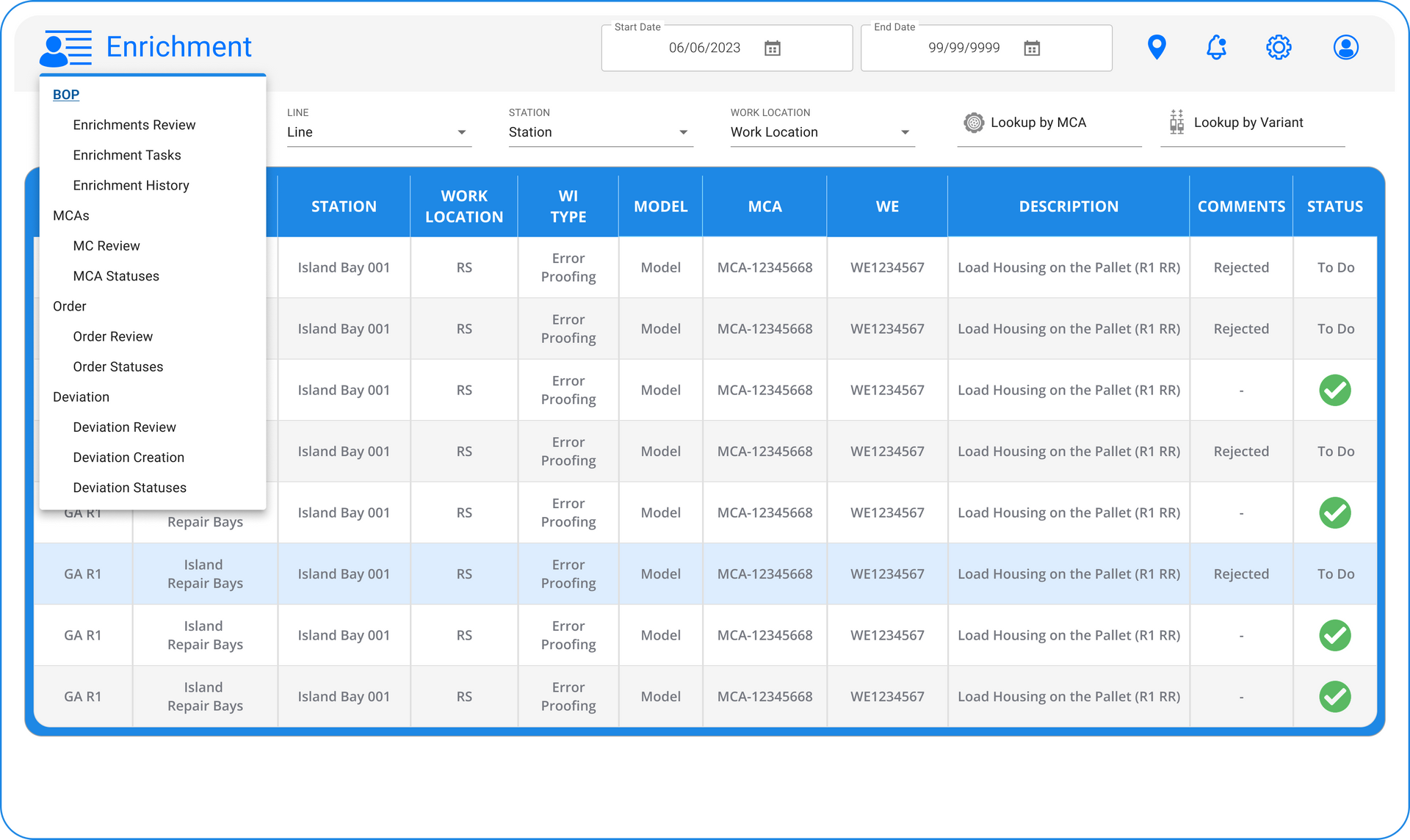
Enrichment
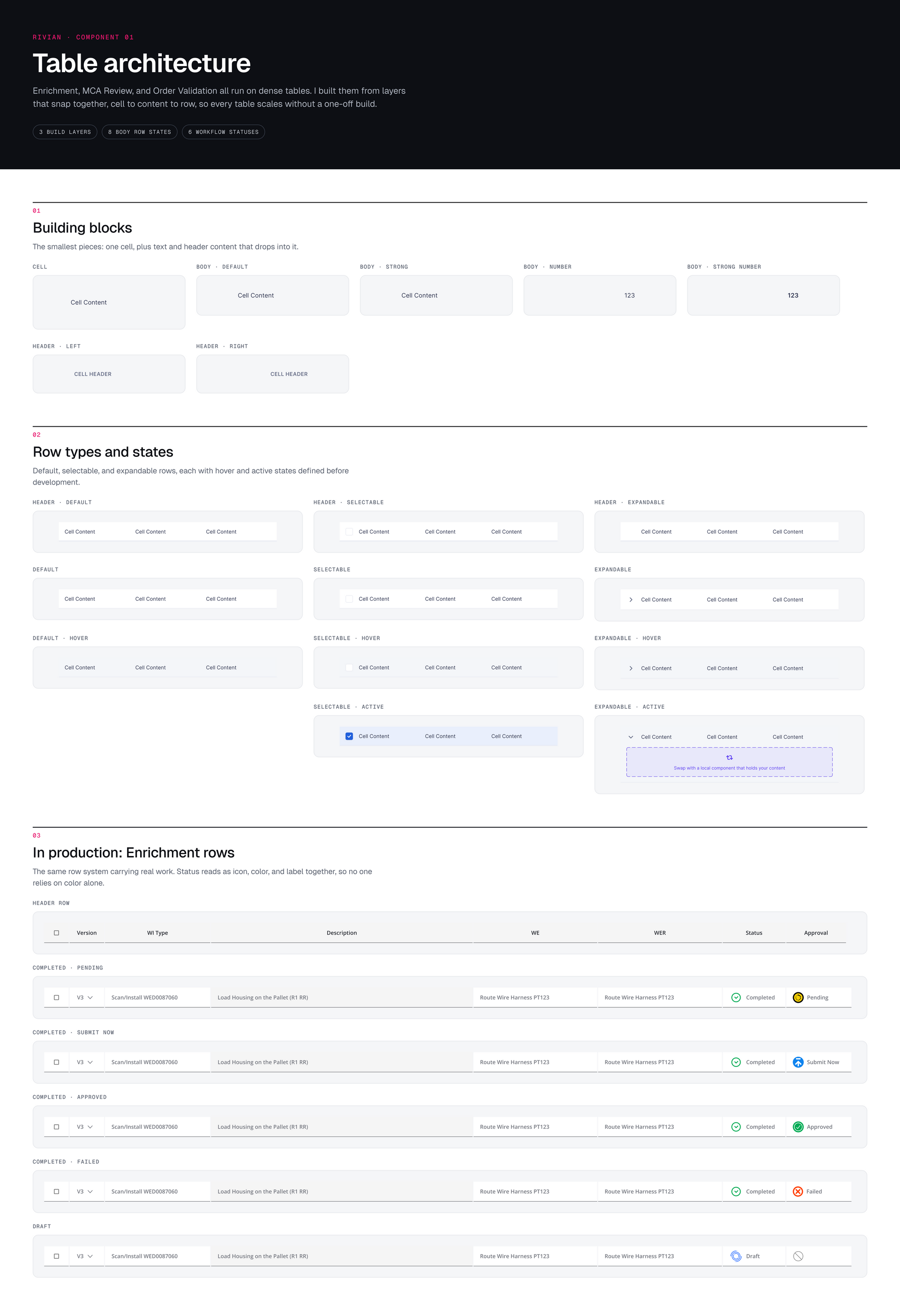
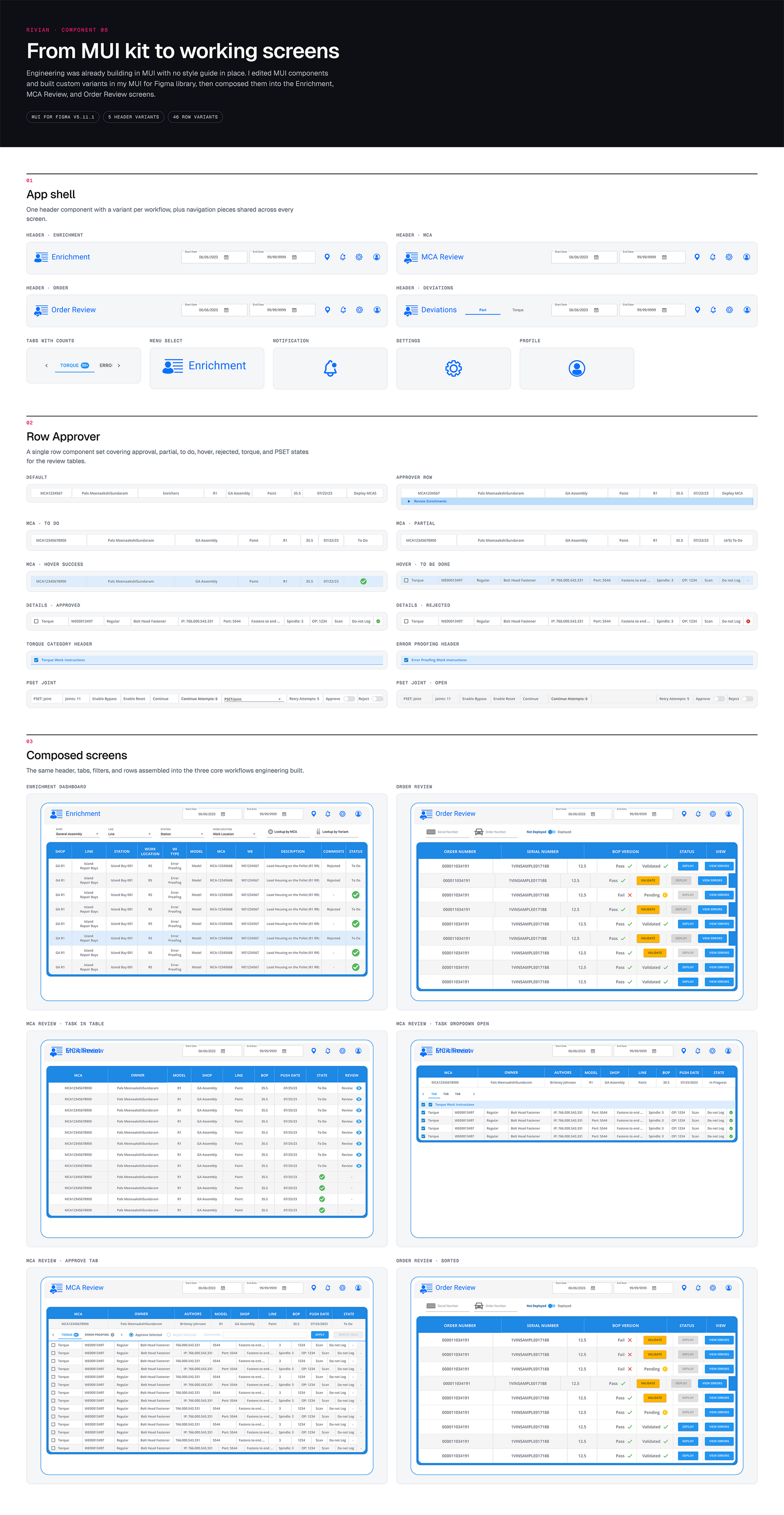
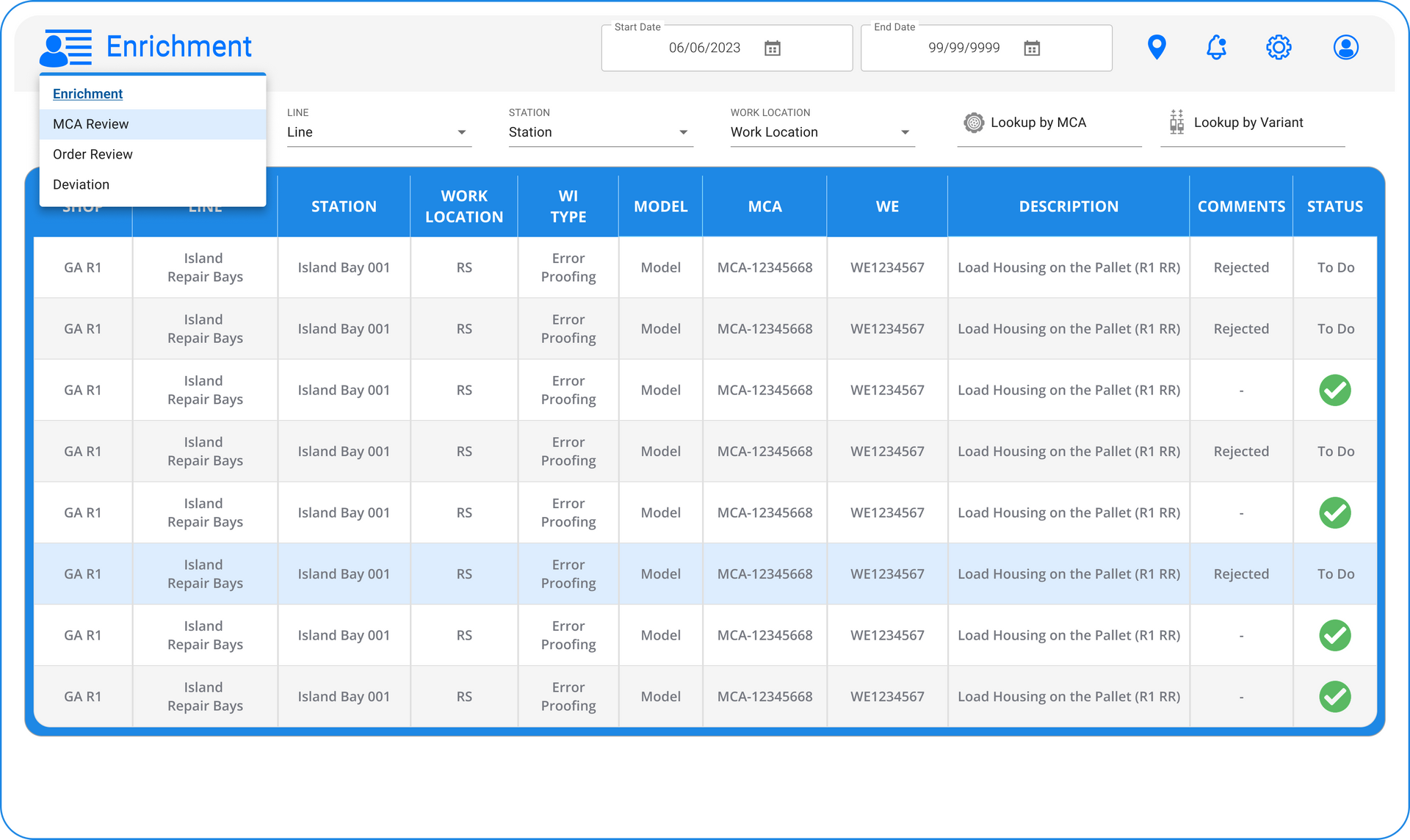
The menu contains 3 main dashboard screen selections that are customized per user login. See the user has selected a row highlighted in blue as a To Do on their list. Each of the details in a row are vital for a user to know as they move through the tasks. If an enrichment is rejected the user clicks to see what the details are on that rejection and resolves it.
Enrichment
The main menu holds the main controller screens with the sub tasks for the valid required tasks such as review and statuses.
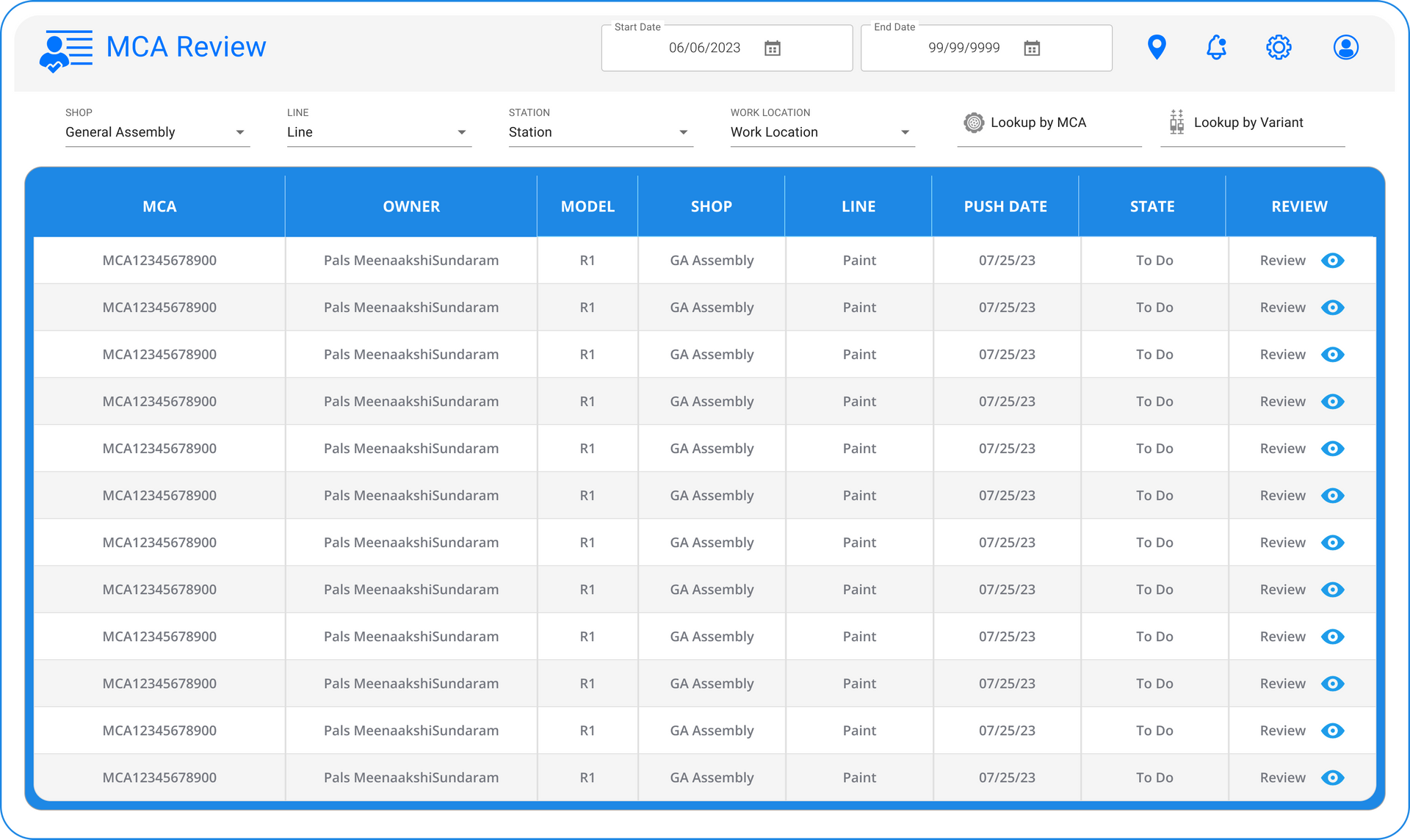
MCA Review
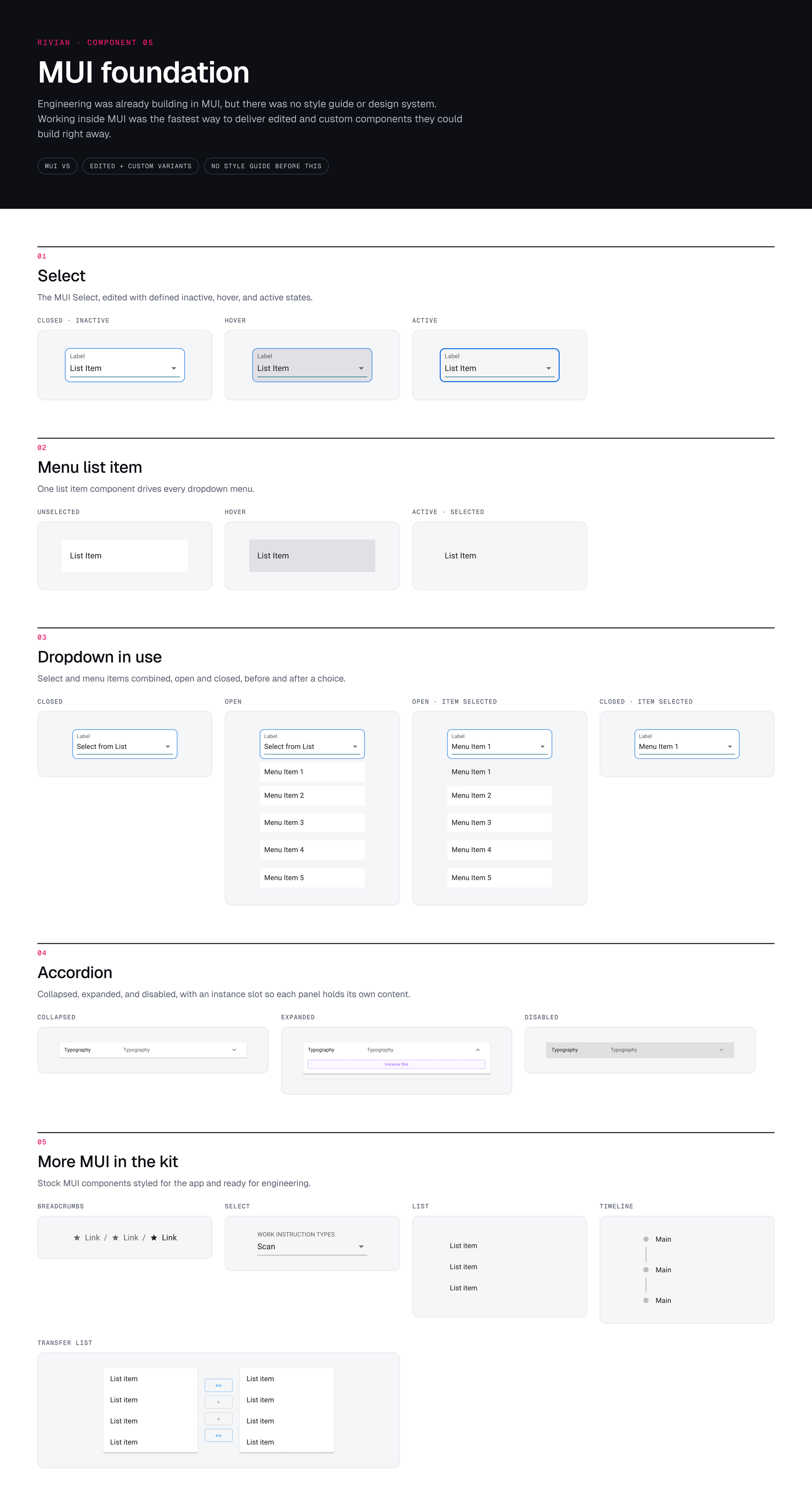
The MCA interface includes multi-level complexity underneath the drop downs, date setting, look up and after filtering the user can see specified tasks and what their status and priority is.
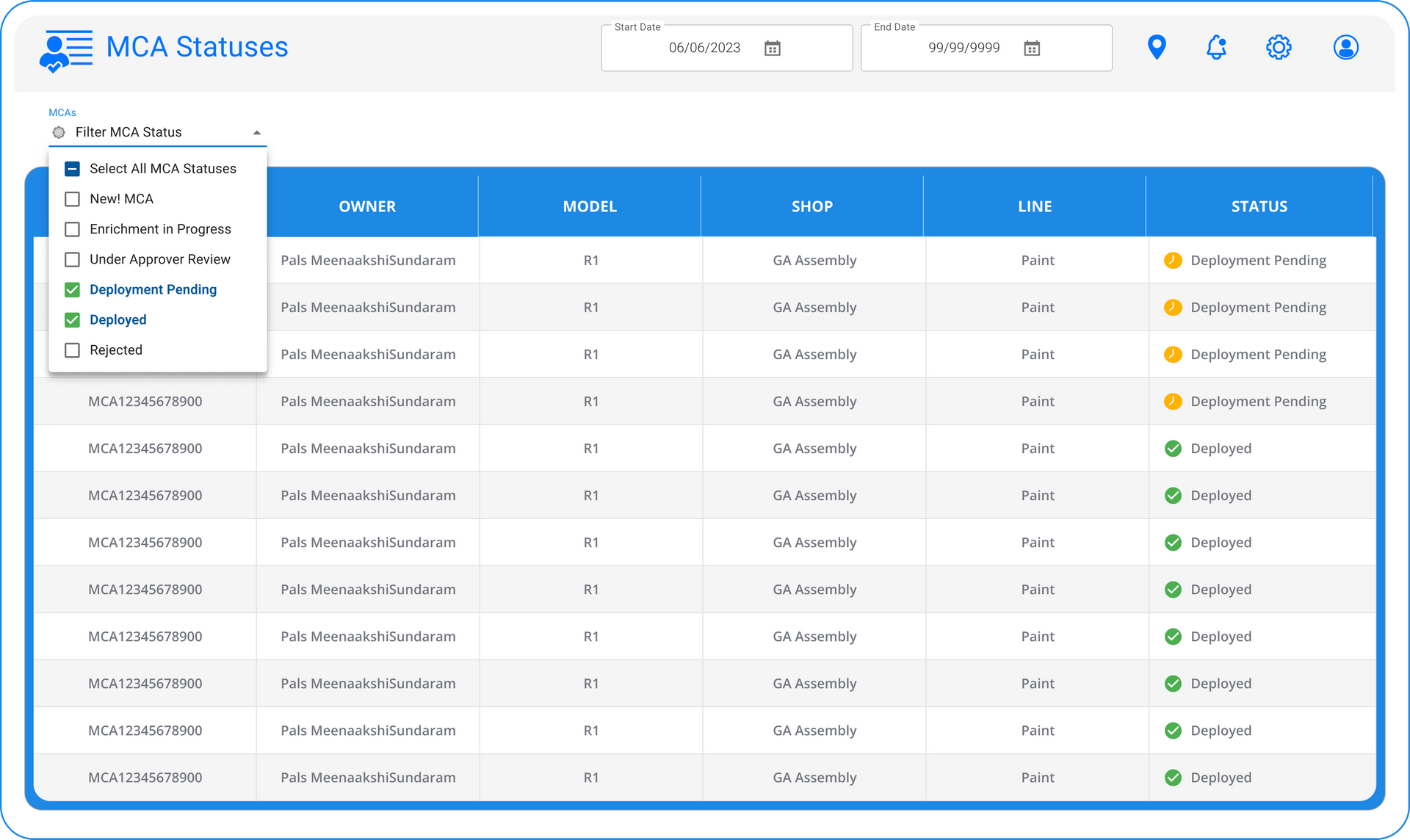
MCA Statuses
If a user filters to MCA Statuses they can further select the level and detail of statuses they are interested in. This may be for Managers or Shop line producers tasks.
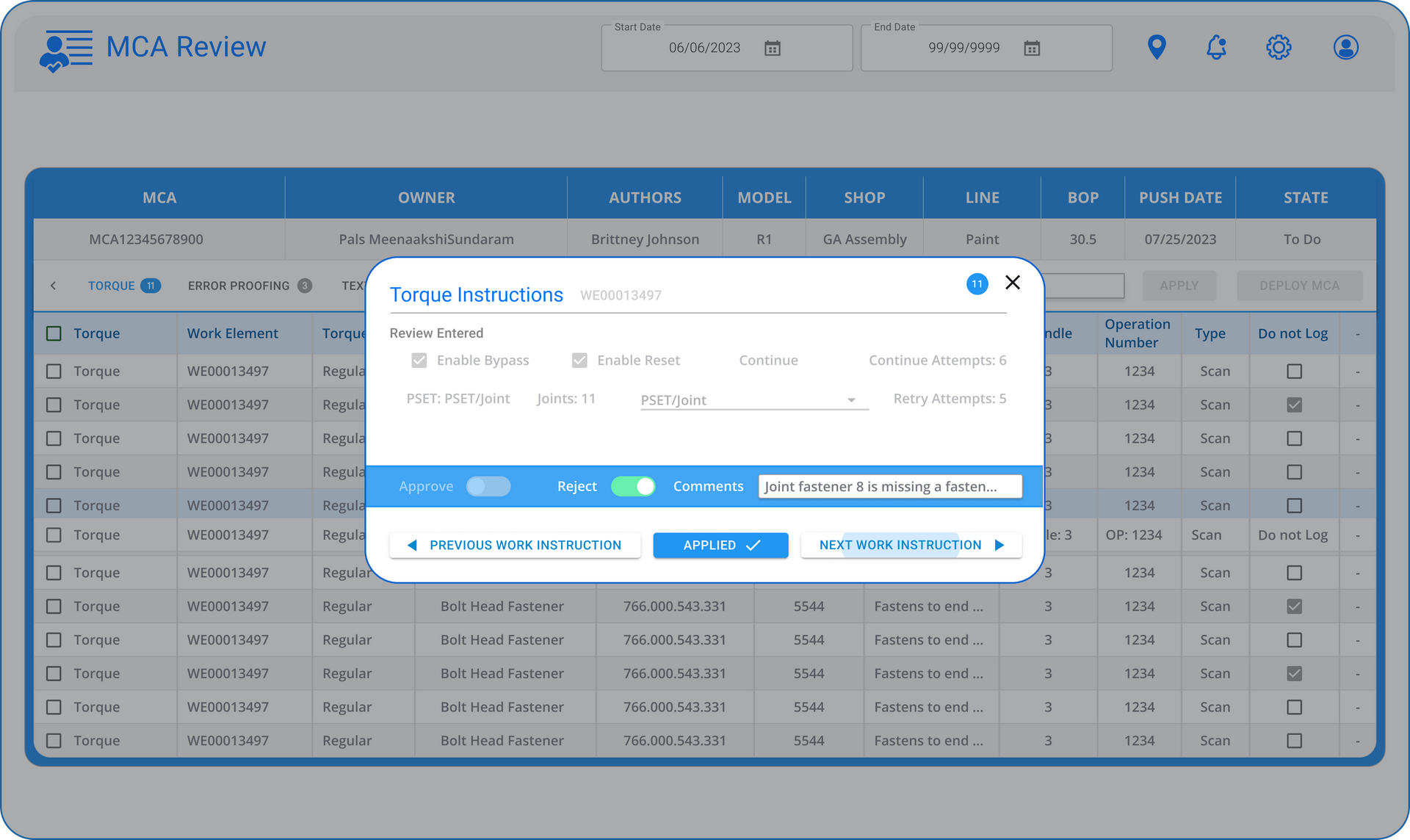
MCA Review
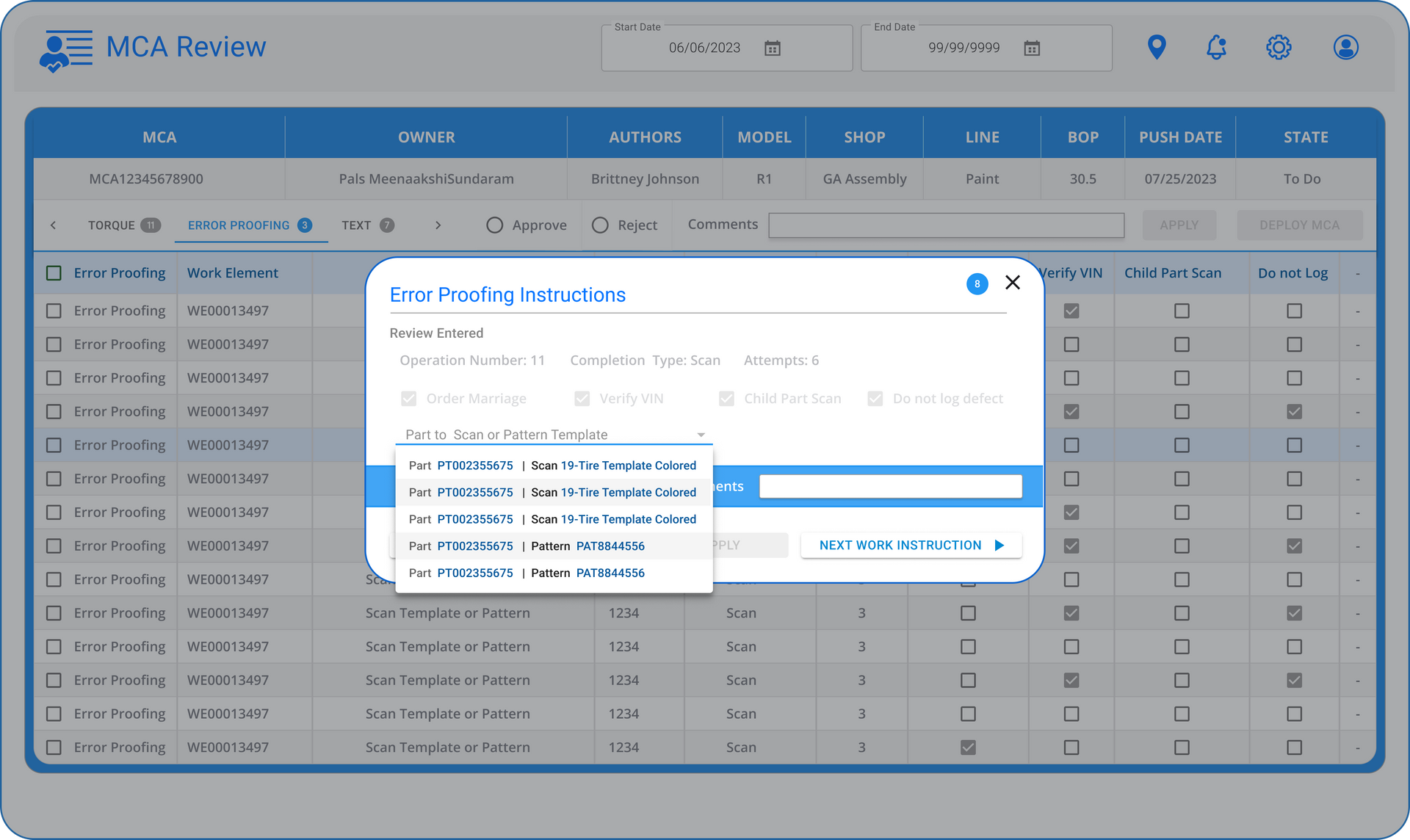
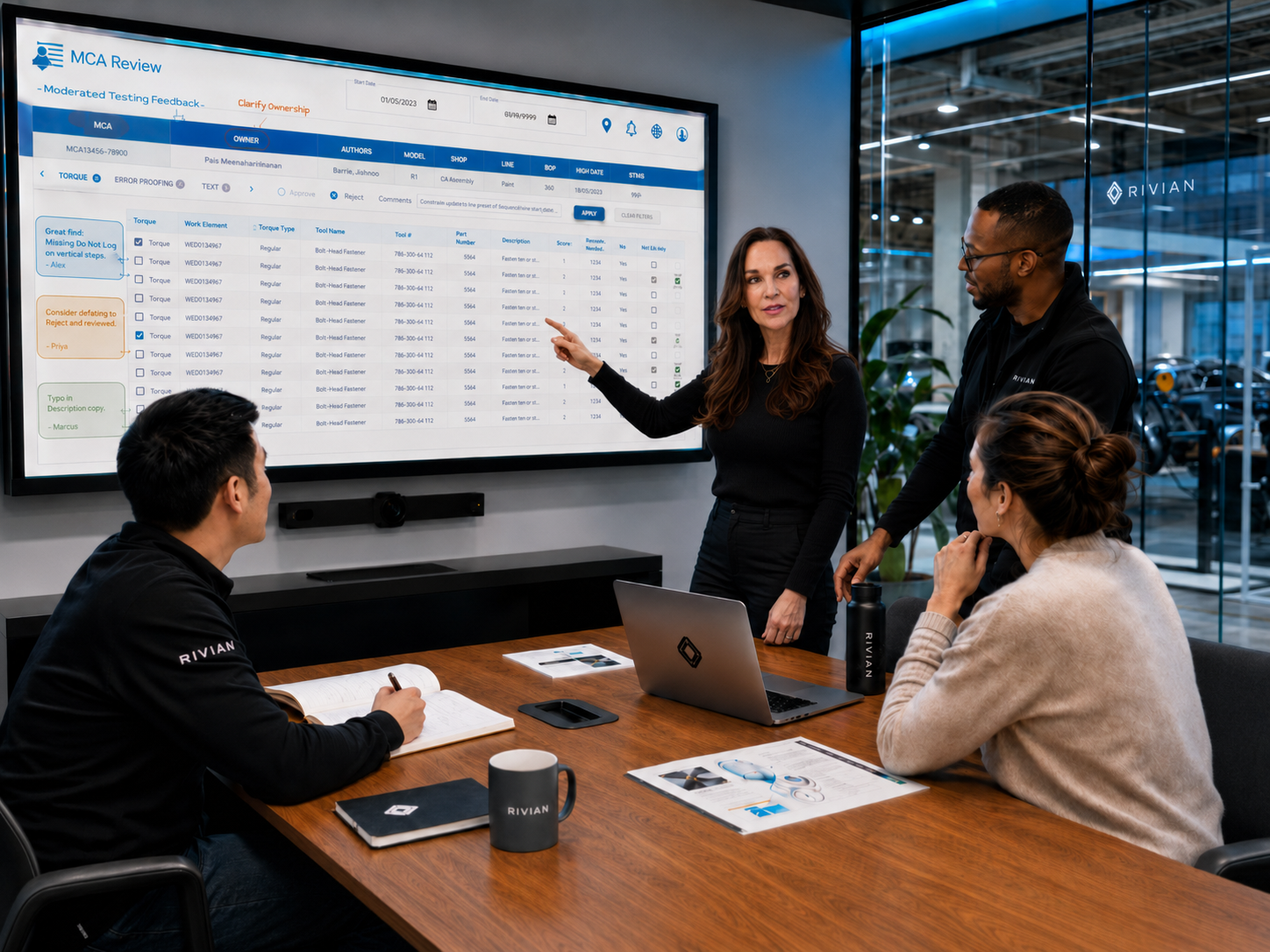
Once a user has selected a line and opens it a sub panel opens for Torque where the work can be done to review whether the job was performed correctly. If the Reviewer rejects the task than comments are left and the task goes back in the queue as rejected
MCA Review Error Proofing
Once an Error Proofing item is selected and filtered a list drop down reveals all of the parts that fit that criteria.
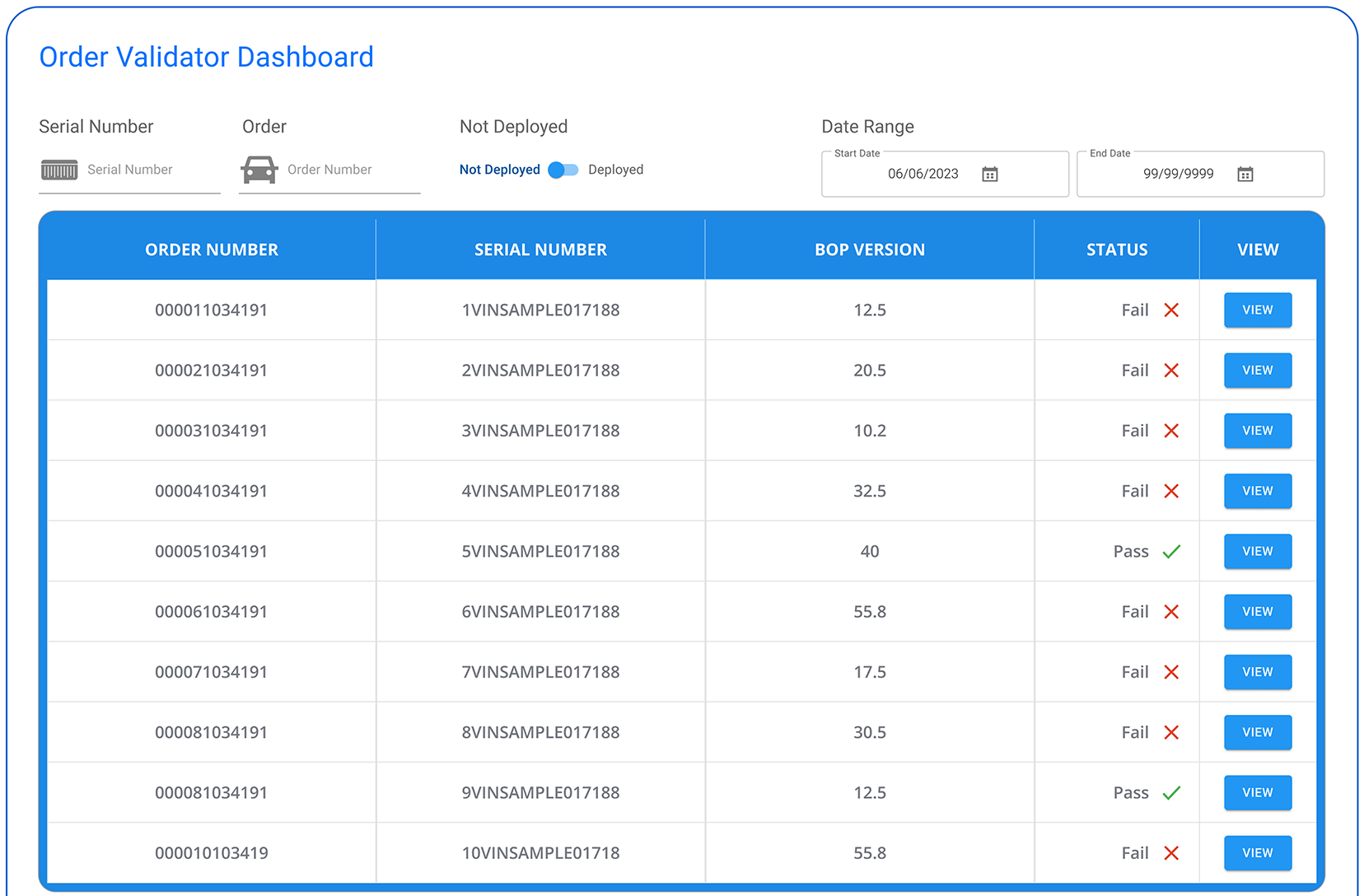
Order
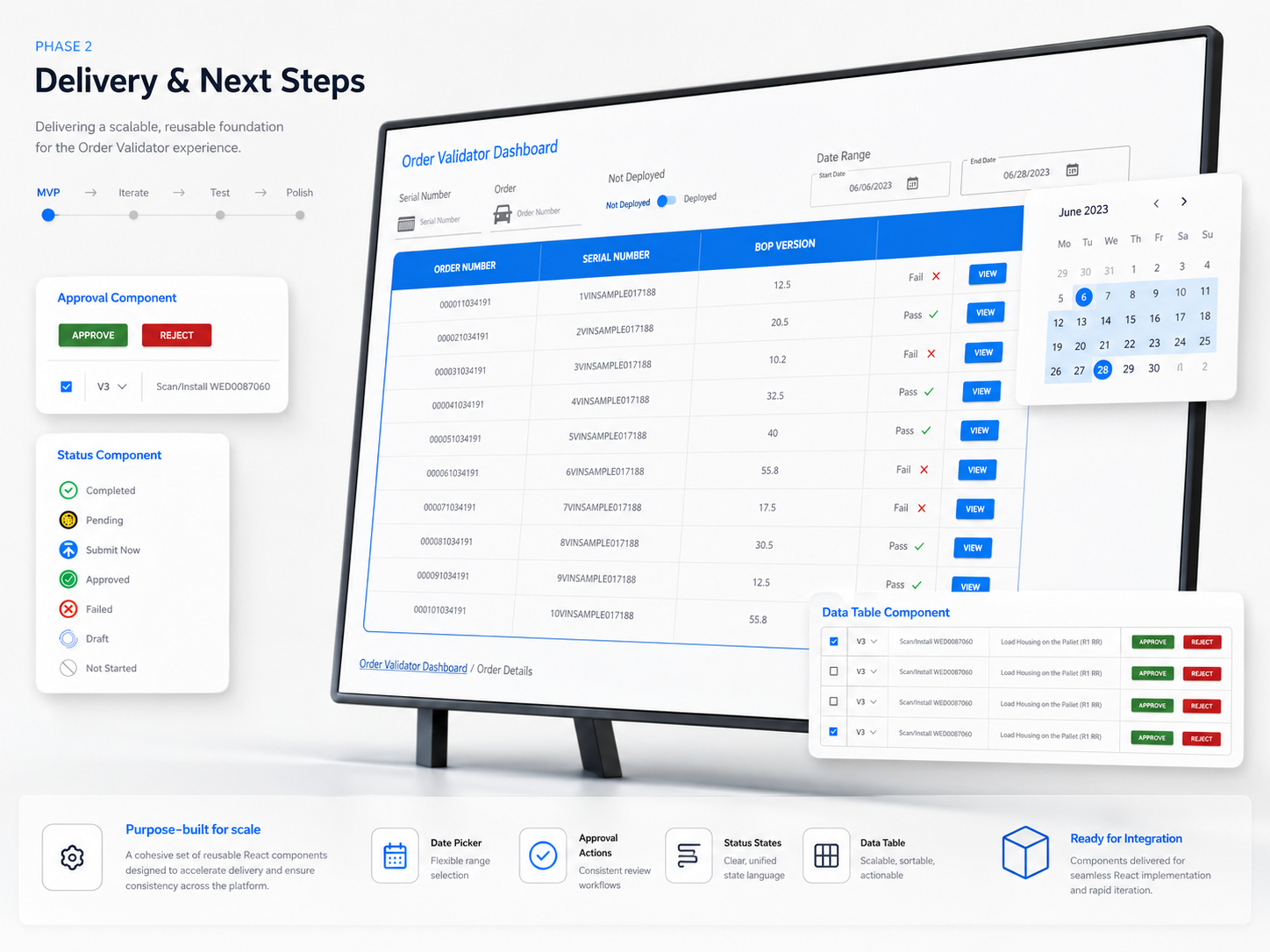
Order screens validate the actual order for a vehicle. If an order status fails or passes the details can be seen via the view button.
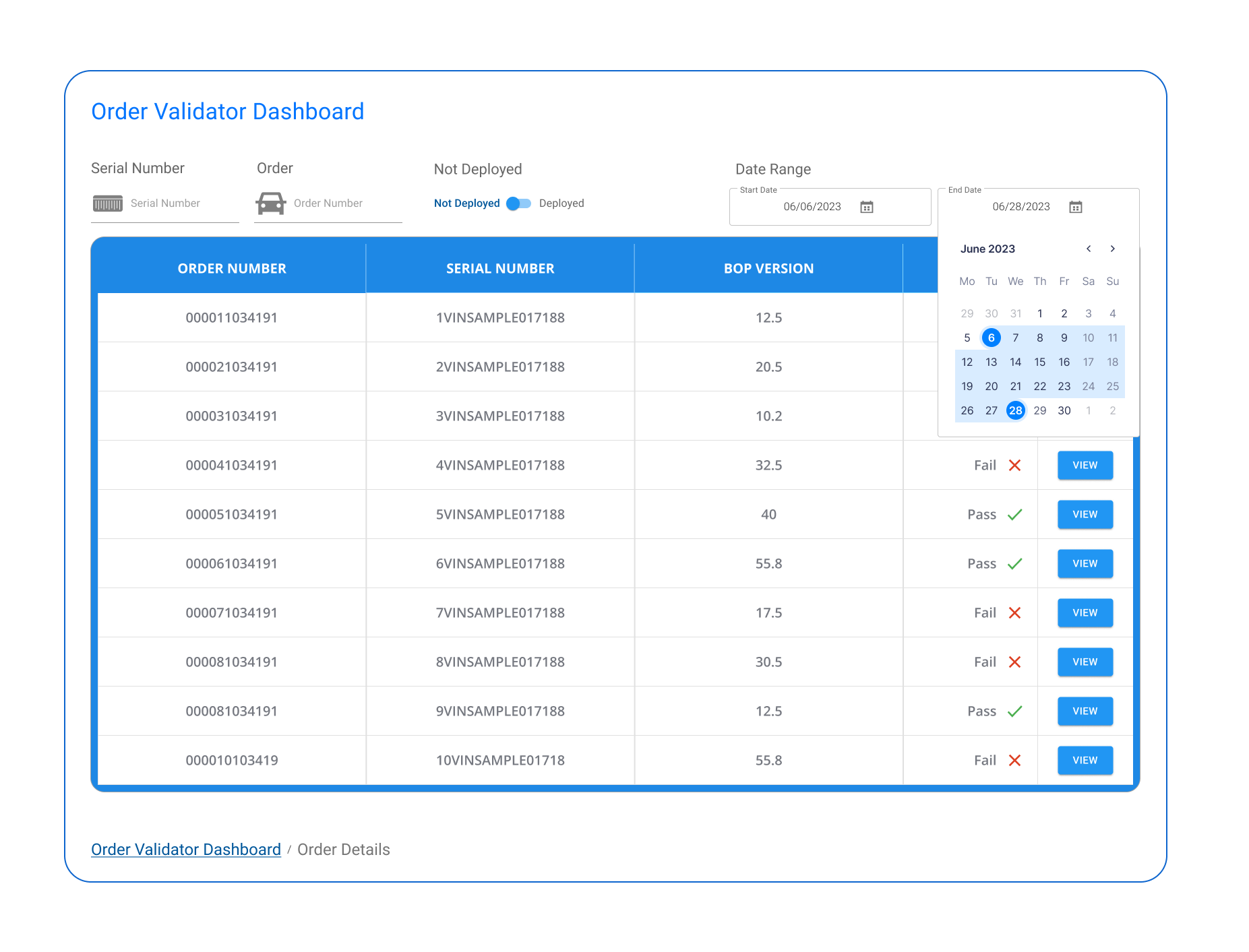
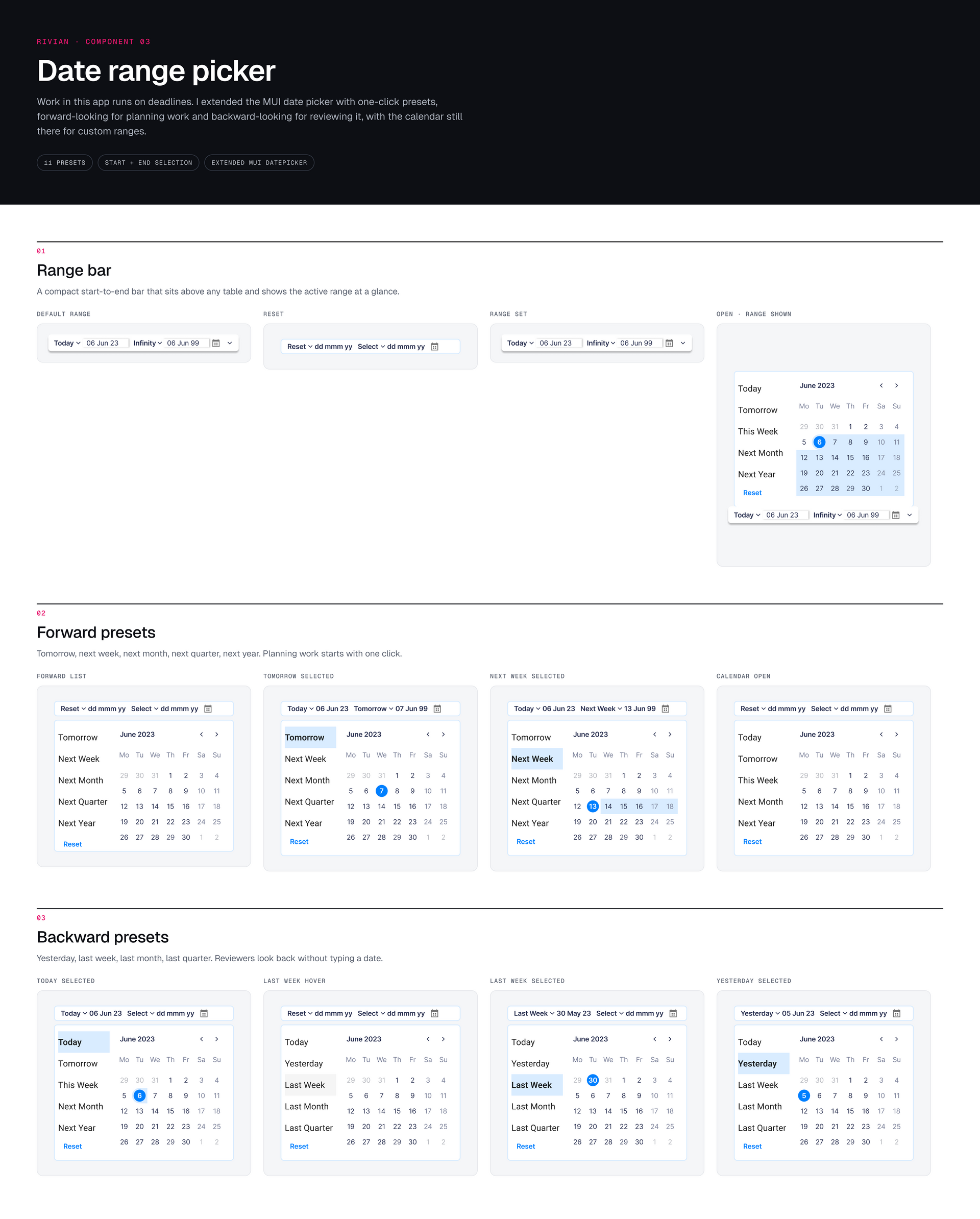
Order Review by Date Range
Managers regularly check bulk vehicle orders by date range. Here I added a calendar picker for that purpose. A user could filter by any item consecutively to narrow a search or widen a search.
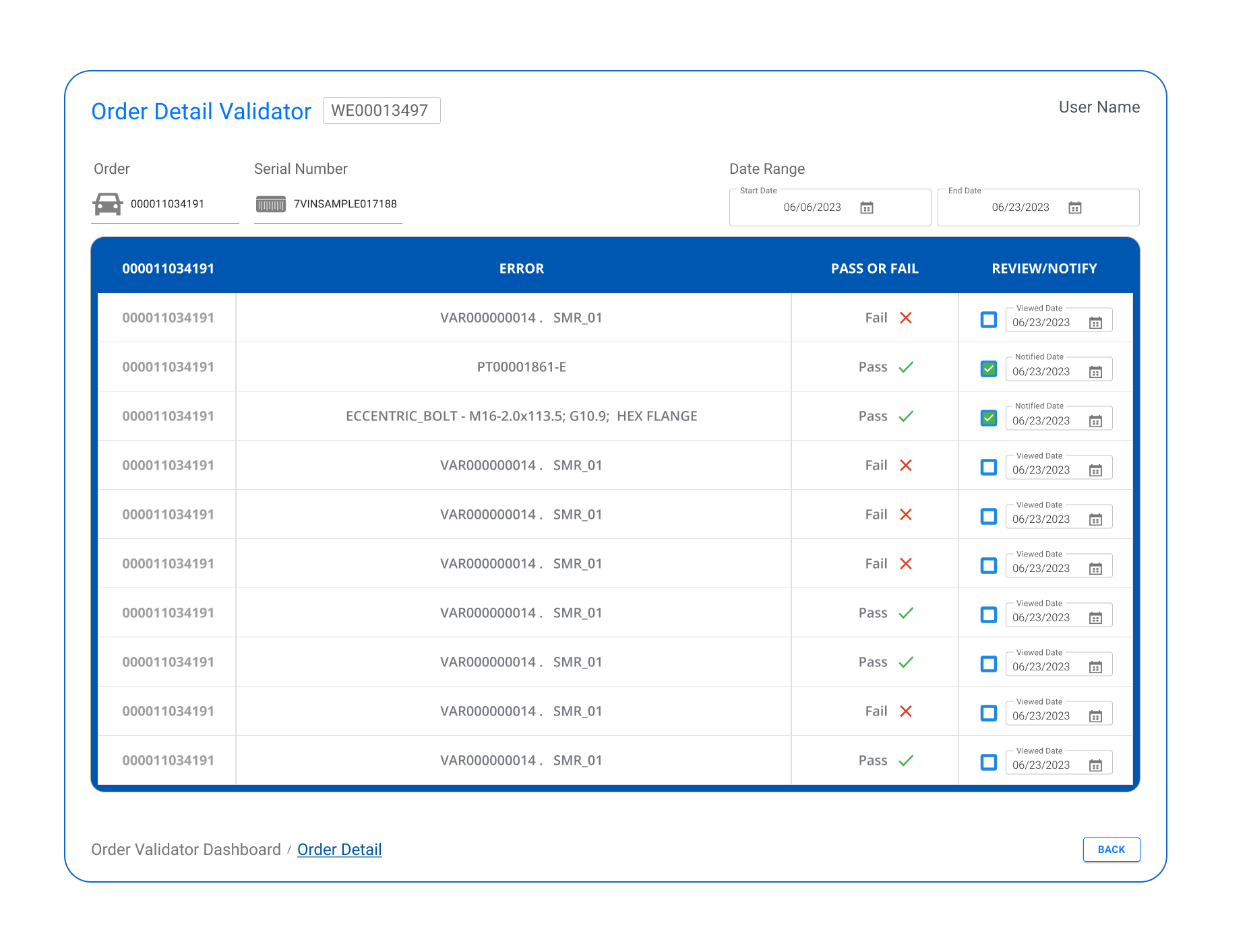
Order 3
Order are checked and validated and a final checker checks to see when a vehicle passed and if it is failing by a deadline approaching places it in priority to have issues causing the Fail resolved.
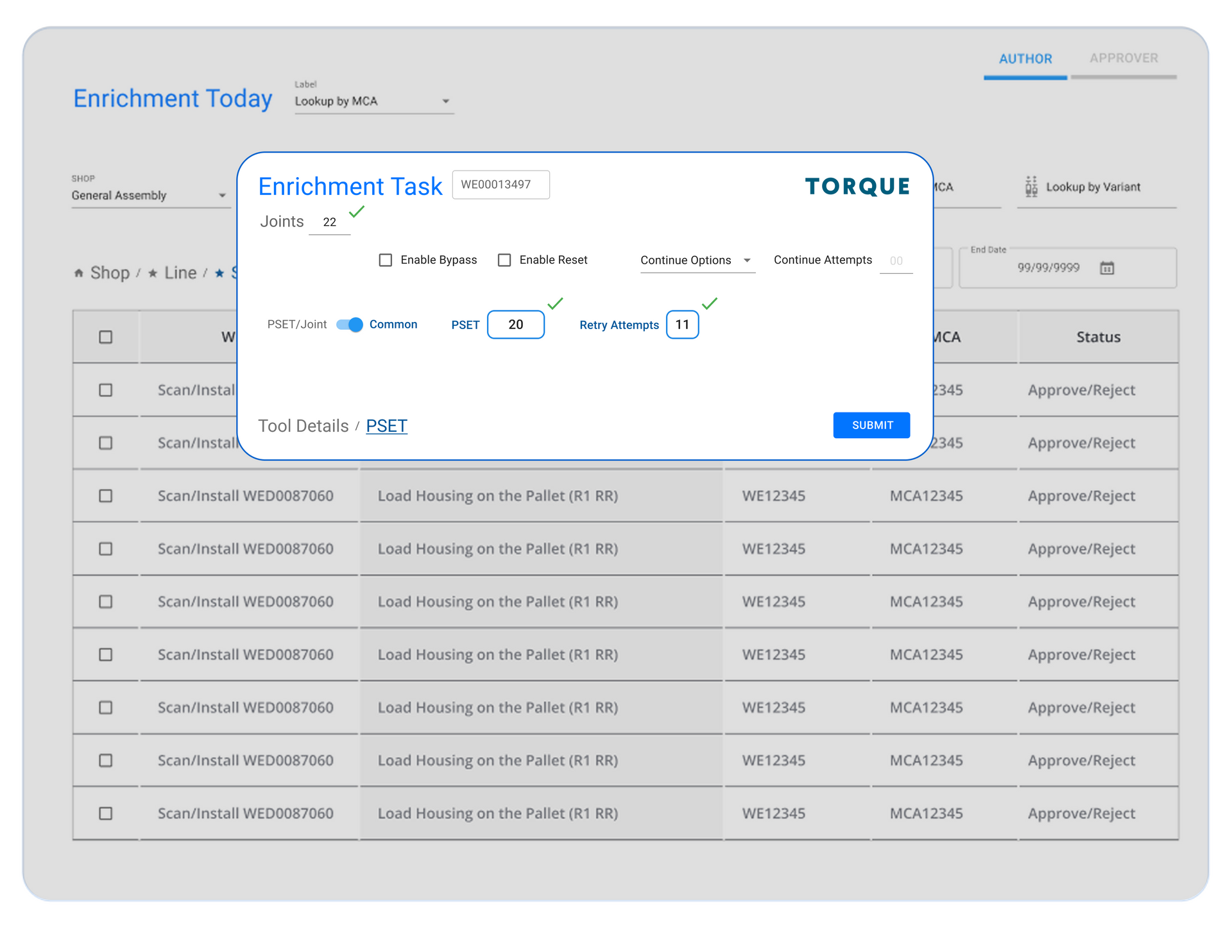
Torque Enrichment Task
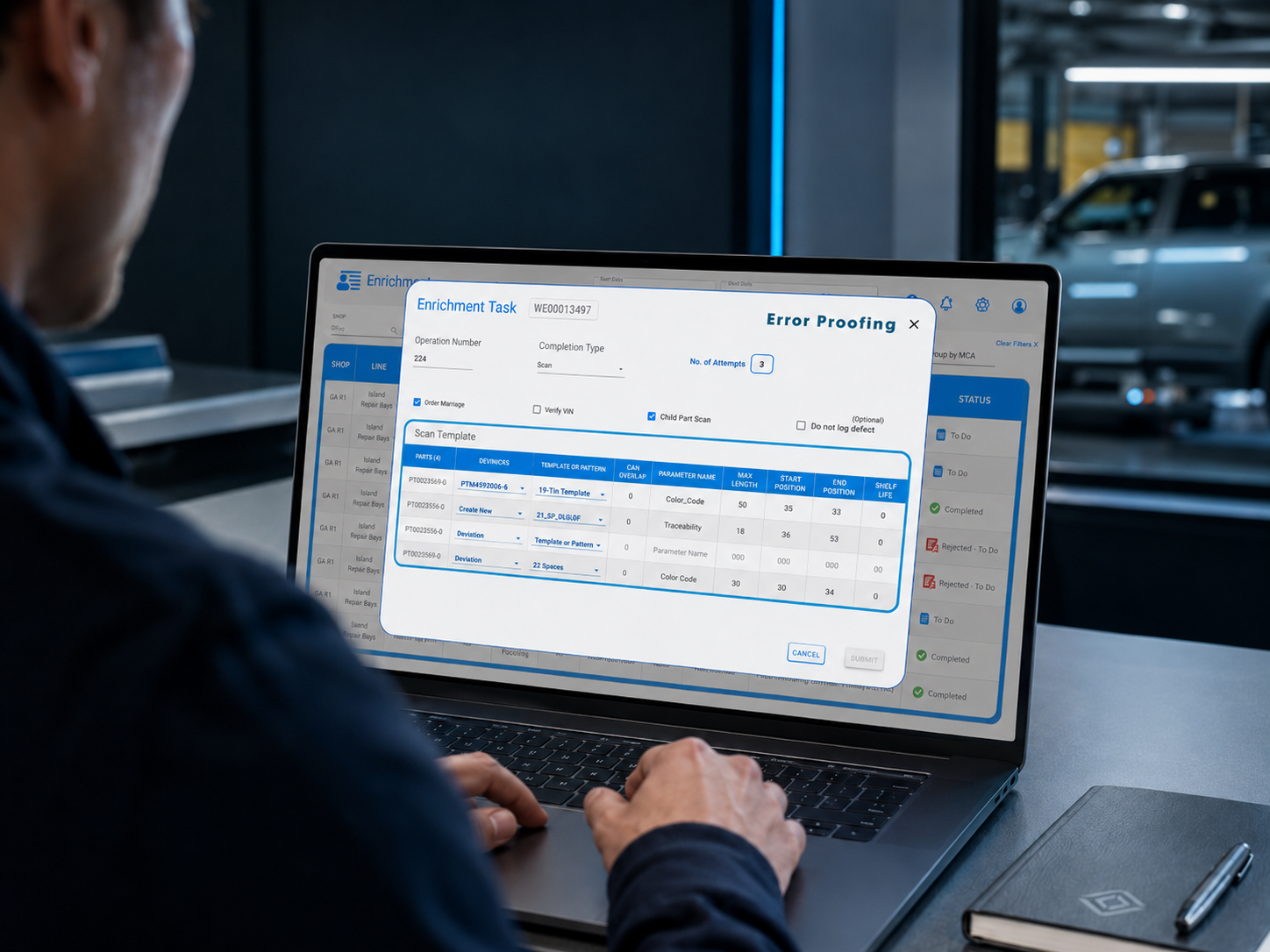
Initial selection details for the task allows the user to make a variety of choices in a small panel.
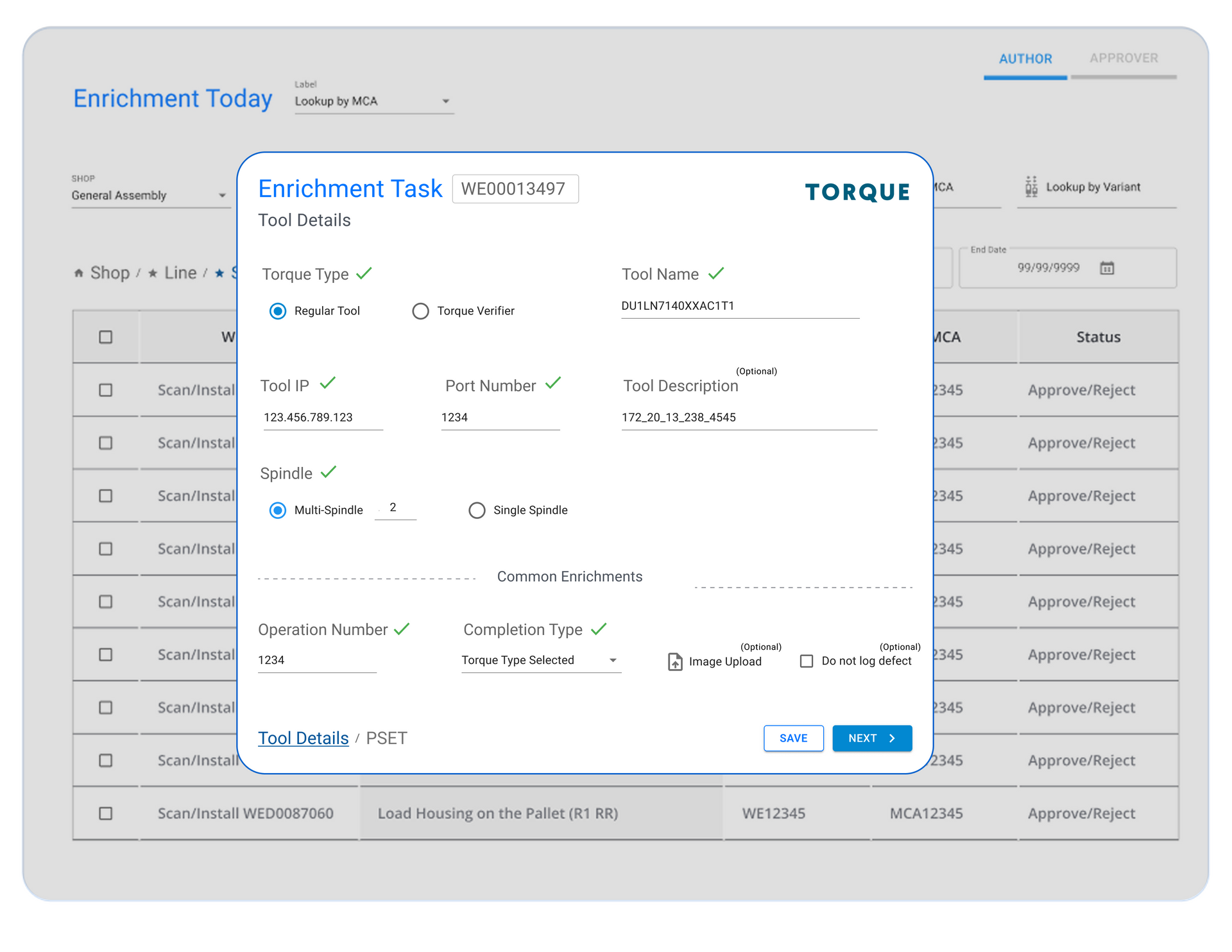
Torque Tool Details
The Torque tools panel enables the user to select what tool details before selecting the joint and final details to torque the screw.
Torque attemts
Add a short description for this slide to provide more context for your visitors.
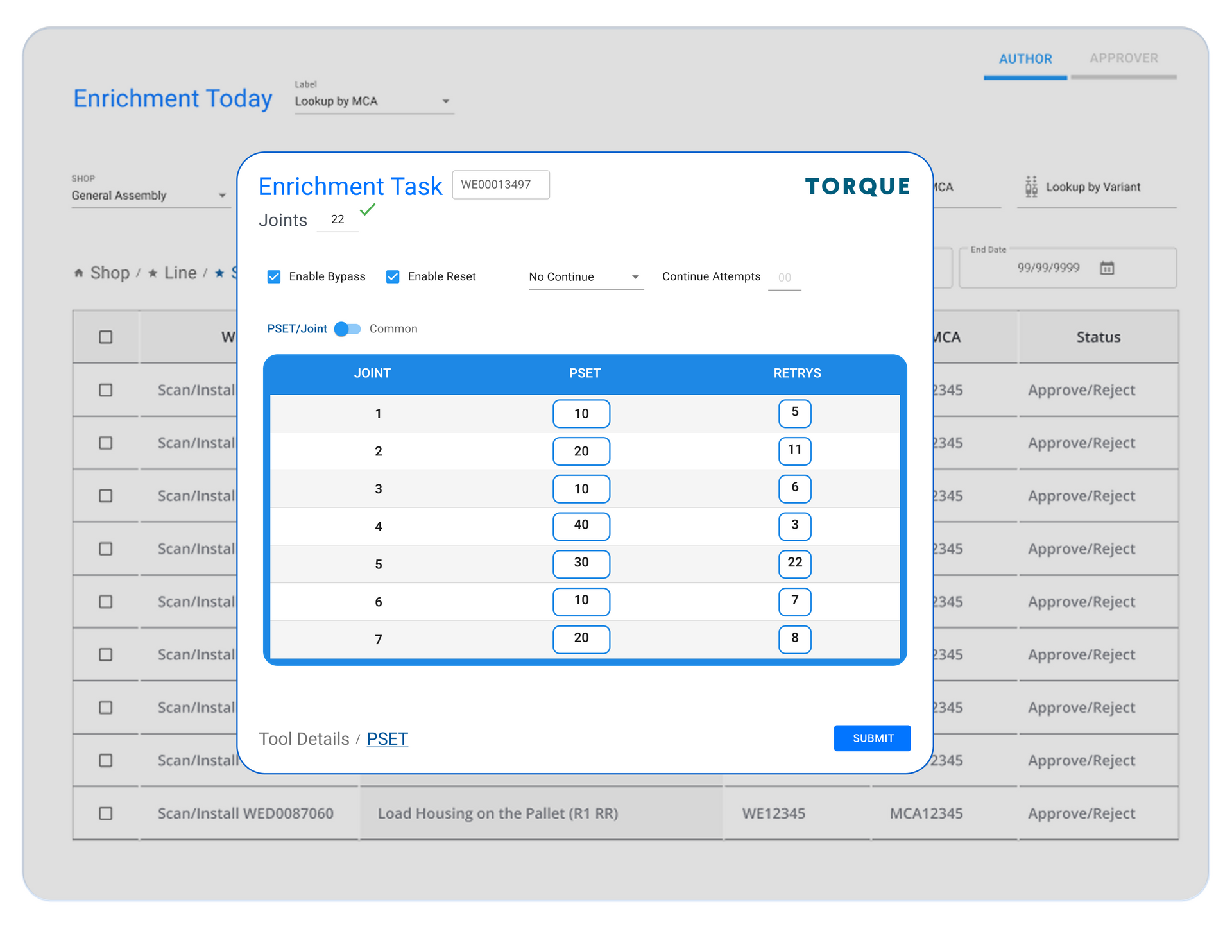
Torque jointTest
Once all the selections have been made the systems has a preprogramed details that the screw must pass in order to call it completed. If it fails than it will show on the fail/pass screen to be seen by the next user who attempts to toque it.
Multiple Users Performing Critical Tasks
The design was purely functional at this phase. We had successfully reviewed each segment and connected the previously manual and siloed manufacturing segments so that they would work for all of the roles. We understood that design would iterate continuously but the foundation of success was clear.
Multiple roles were going to utilize the software application with smooth itegration and the comoplexities captured wI had successfully designed with my large engineering team alongside of me the first manufacturing application of its kind. Rivian was excited!
Enrichment — Authors. Authors enrich Work Instructions, filtering by date, shop, line, station, and location to find their daily tasks. Their status states are clearly showing what is complete and what is prioritized to do.
Within the Enrichment Dashboard menu users can access MCA Review, Order Review and Deviation screens to do their tasks.
Reviewer — Process Engineers. PEs approve or reject enriched Work Instructions: bulk approve/reject via row selection, tabbed WI types with count indicators, and required reject reasons so Authors know exactly what to fix.
Order — Validation & Recovery. Failed orders open to the reasons for failure, and every line item offers a resolution path: create a deviation, review the original Work Instruction, or contact SAP directly.
The design insight: the reject → re-enrich → resubmit loop is the product. Rejection isn't an error state — it's a designed workflow with a reason attached, so rework is fast and blame-free. And recovery from failure always has a next action, because a dead end on a manufacturing floor is a line stop.
Torquing. The torquing proved to be surprisingly more complex than any other segment we had previously mastered. So I called for a pause in all other design so that I would have clear understanding before endeavoring to create any designs. This required a number of meetings and process reviews followed by micro designs I tested with the users before we started up the design sessions again.
Design Patterns for users needed to be visible quickly on screens on the line so thast required numbers, vaslidations and checks weere easy to read without having to be right upon the screen at their stations. Very large fonts would be used even when the design of the screens would be produced in phase 3. Functional patterns would be followed after vigorous testing and assurance of error prevention and quick handling of errors or line stops.
testing

Staging

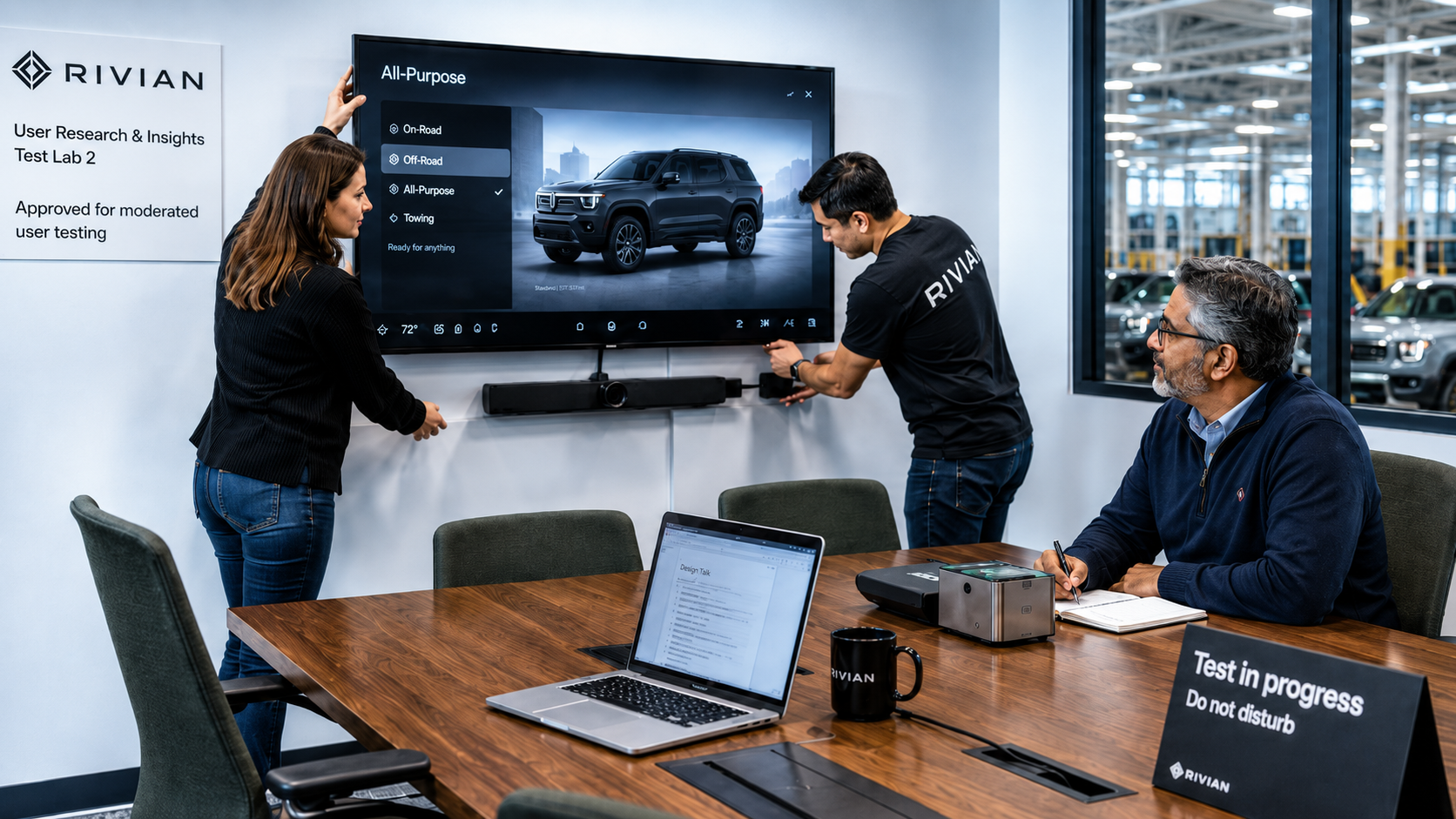
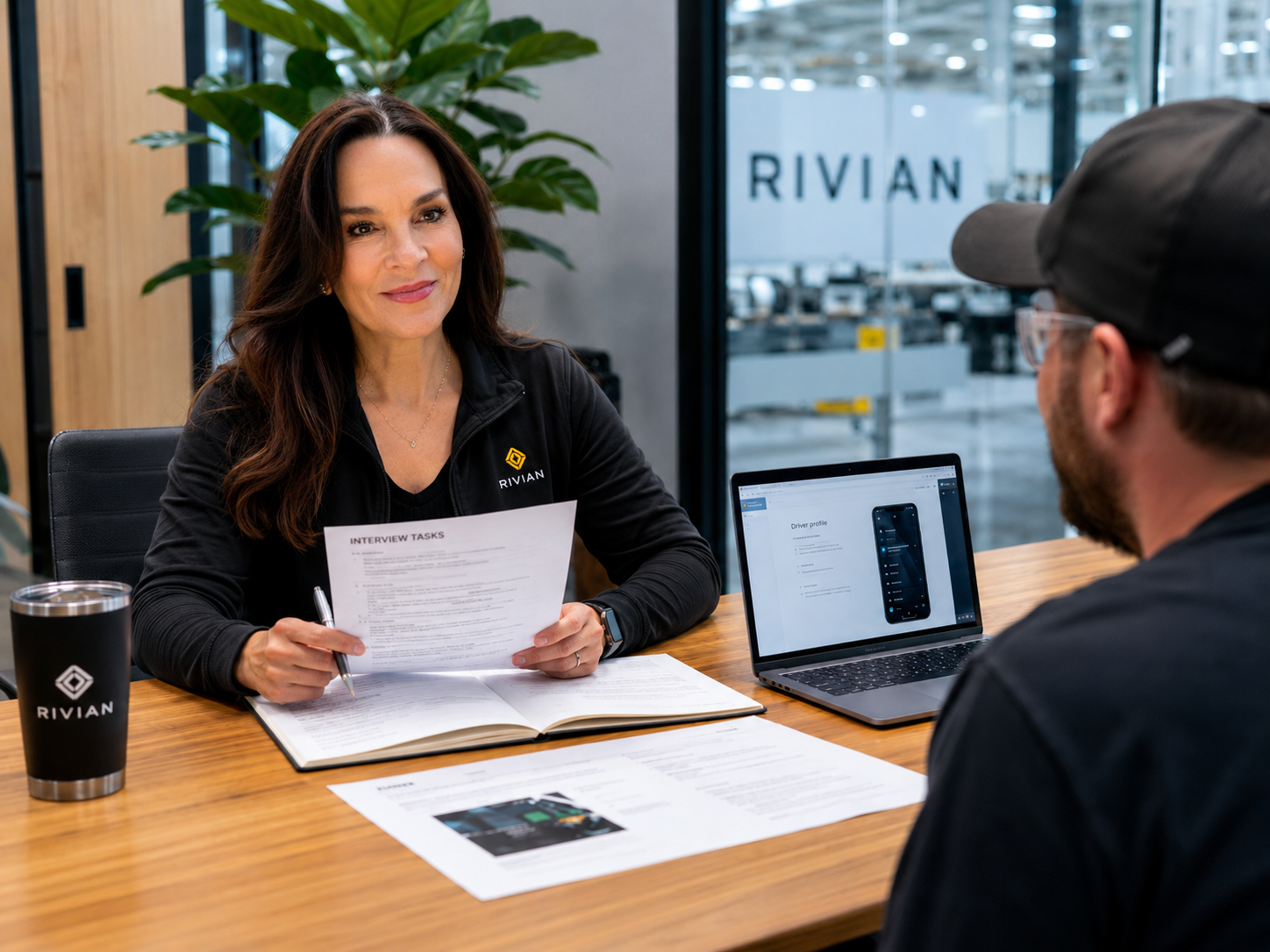
Interview Prep

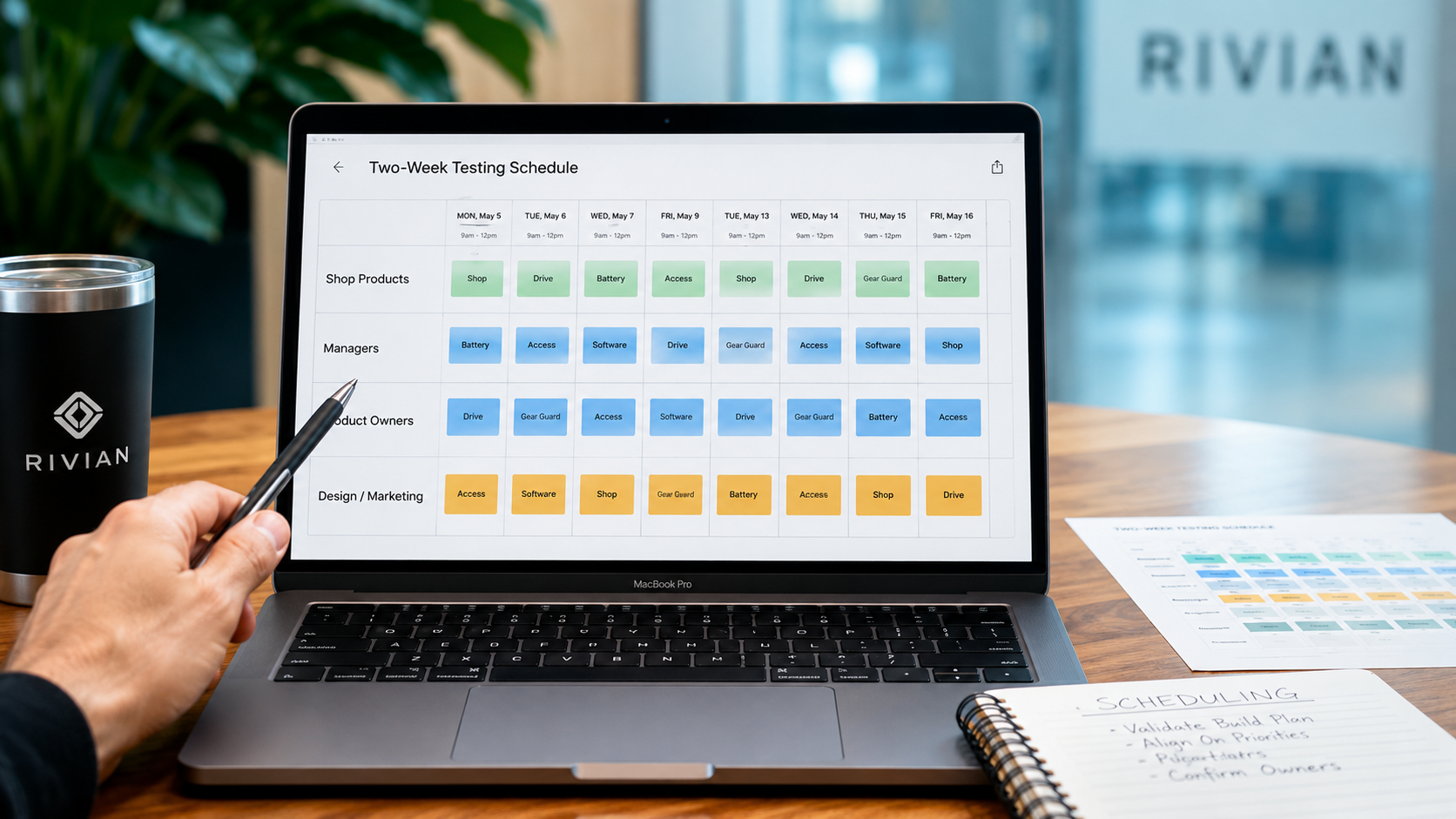
Scheduling
Testing
Notes & Feedback
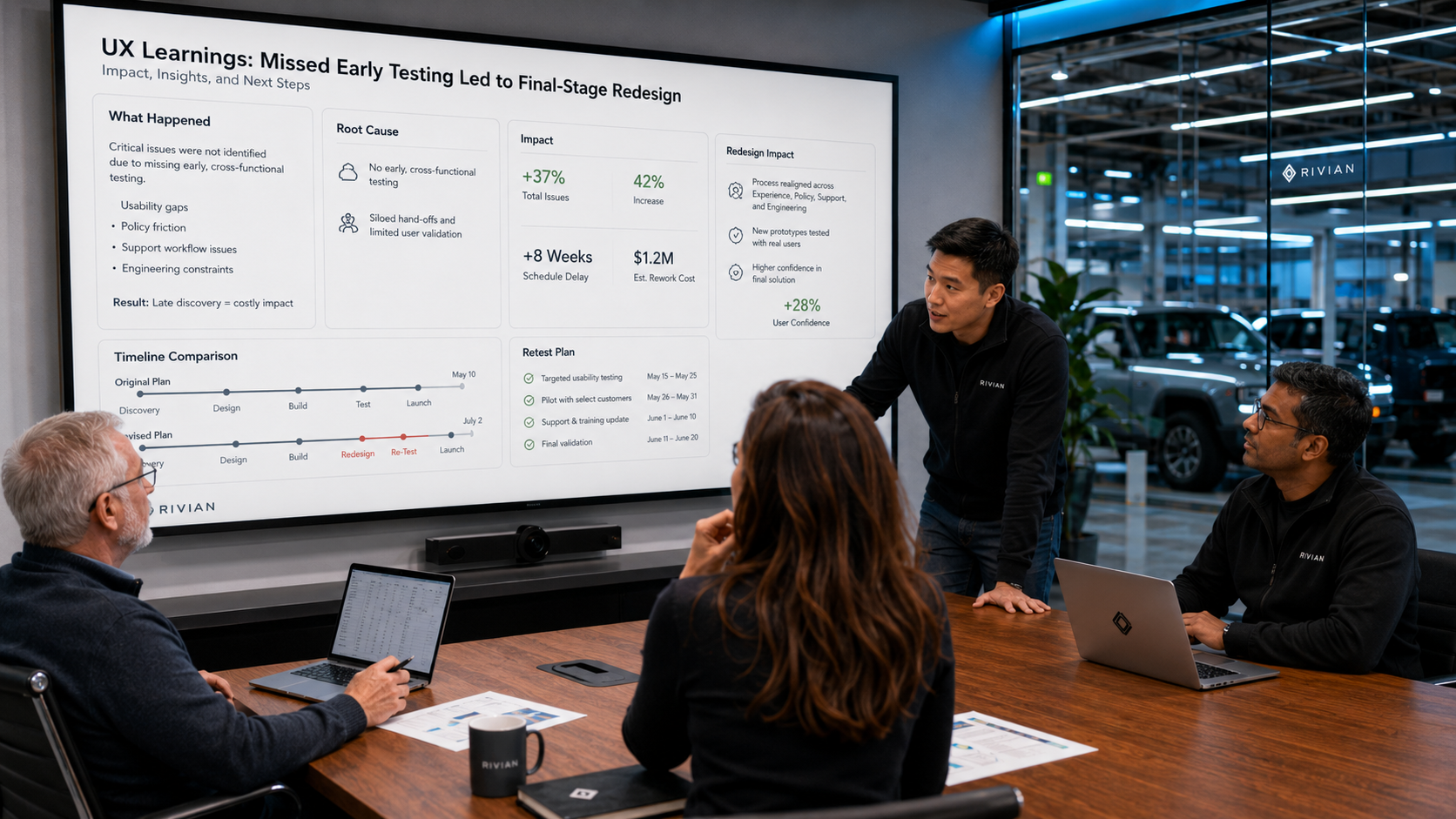
Lessons Learned
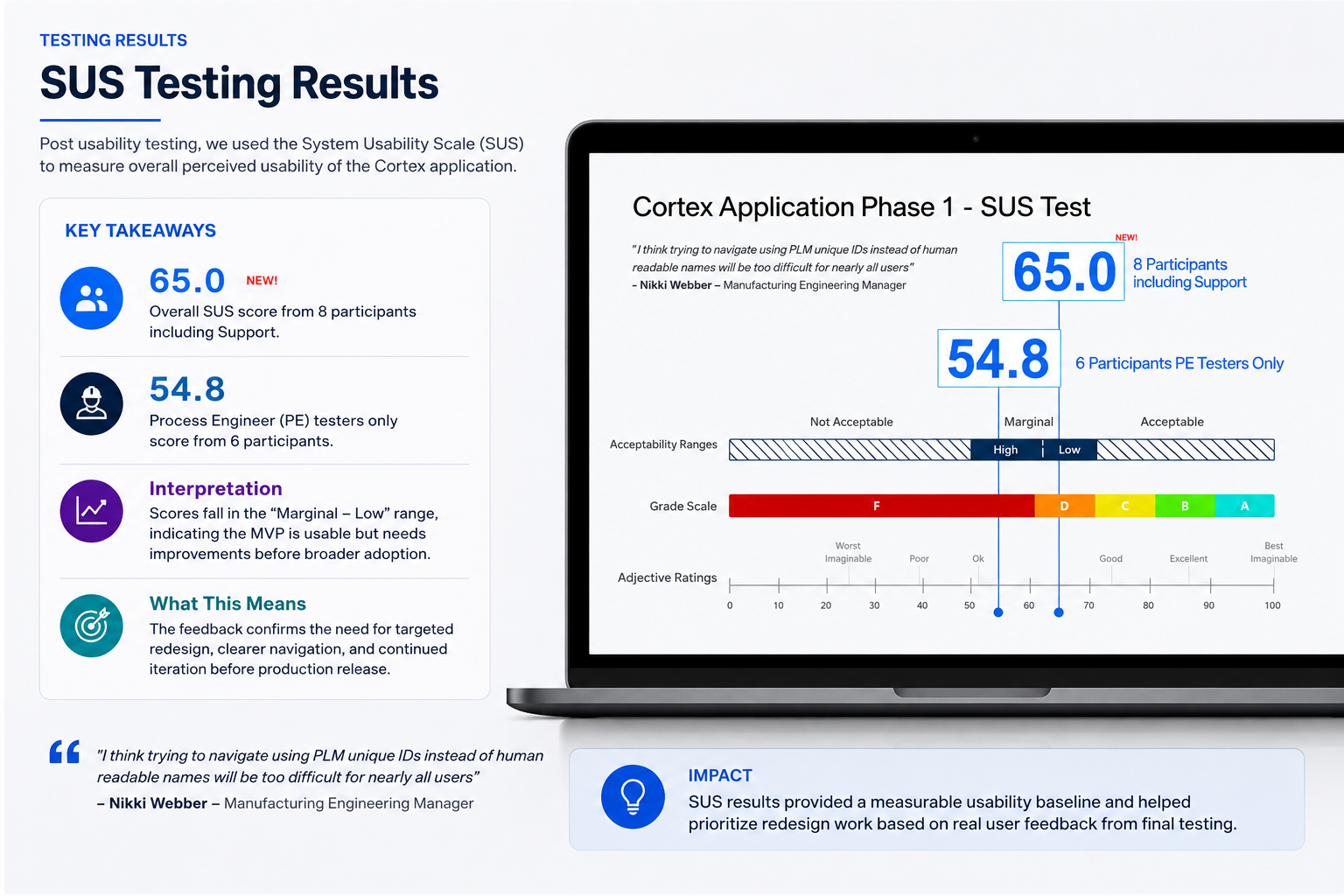
The results were in!
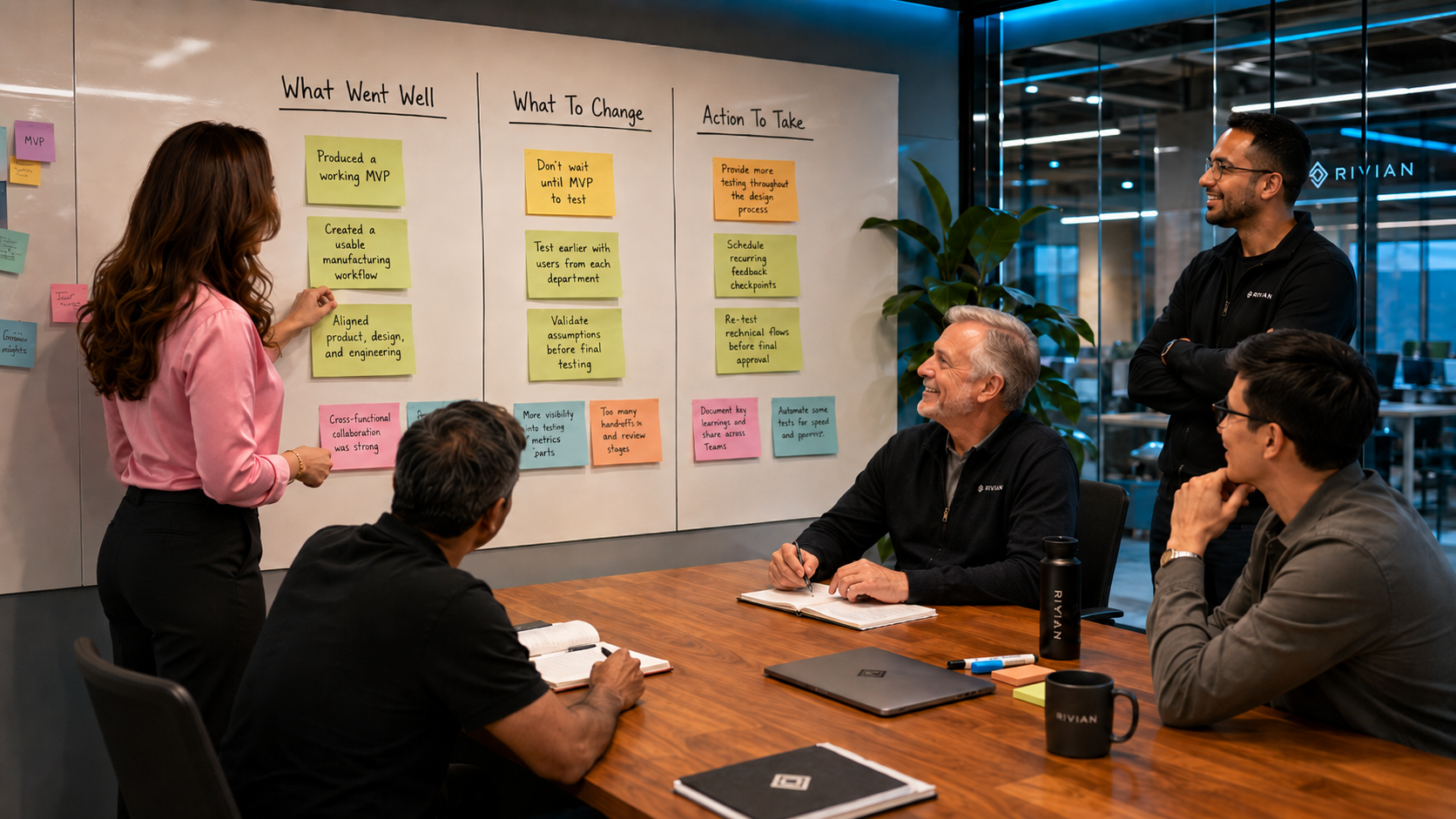
Retrospective